
 Analysis byWeUseApps
I find that ParkMobile is most useful when parking is part of a plan rather than an afterthought. It is an Auto & Vehicles app from Parkmobile, LLC, built around finding and reserving parking and handling a parking session through your phone. That can make a stressful arrival feel more manageable, especially in an unfamiliar area. Still, it is not a universal replacement for paying at a meter or using a garage’s own system: what you can do depends on the parking location and the options available there.
Where parking plans tend to get stuck
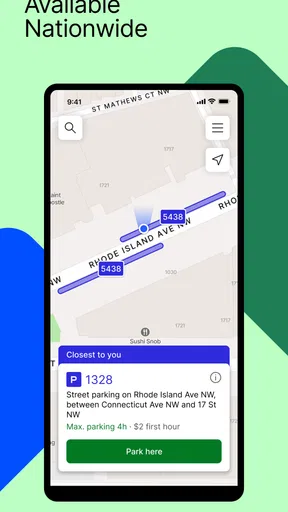
The difficult part of app-based parking is often not tapping a payment button; it is making sure you have selected the right place and session. When you arrive somewhere busy, nearby lots or street spaces can be easy to confuse. I would pause long enough to check the location shown in the app against the signs at the space or entrance. A quick match is more valuable than rushing through setup and hoping the selection was right.
That extra check matters because an app can help with a transaction, but it cannot correct a mismatch between the space you occupy and the parking area you chose. Keep the posted instructions as the authority for where you may park and what rules apply. If the signs and the app appear to disagree, do not assume the app has resolved the issue; verify the location before relying on the session.
Another common sticking point is expecting every parking situation to work the same way. ParkMobile is designed to support parking and reservations, but the experience is tied to the location and its available options. A city street space, a garage, and a planned visit may present different choices. I would treat the app as a way to manage supported parking, not as a guarantee that every space nearby can be paid for or reserved through it.
The app is free to download, and its Everyone age rating makes it broadly accessible. Those facts do not mean every parking transaction is free: parking charges are separate from the app’s download price. Before confirming a session, look carefully at the amount and the terms presented for that specific parking choice. That small habit helps avoid confusing the cost of using the app with the cost of the space.
Setup checks that prevent avoidable mistakes
On first use, I would make sure the app is installed from the relevant app store and that the phone can connect reliably before reaching the parking spot. A weak connection at the curb is a poor time to discover that you still need to finish a basic setup step. If you know you will be parking in a busy or unfamiliar area, opening the app before the final turn gives you a little breathing room to orient yourself.
ParkMobile has been available since November 28, 2011, and version 26.40.1 is the current release identified here. It requires Android 8.0 or later on Android. If the app will not install or behaves poorly, checking the phone’s operating-system version and whether the app is up to date is a sensible first move. On iOS, use the compatibility details shown in the app store for your device rather than assuming Android requirements apply.
Before starting a session, I would confirm three things in sequence: the parking location, the choice of parking offered there, and the details displayed before confirmation. This is a practical workflow, not a claim that every screen is identical. The point is to slow down at the steps where a wrong selection can matter. If you are using a reservation for a planned arrival, check the selected location and the reservation details before you set off, rather than trying to sort them out while driving or standing in a queue.
It is also worth keeping the phone usable throughout the process. If the screen is difficult to read in bright light, stop somewhere safe and review the details before committing. I would not try to navigate parking screens while driving. For a passenger, handling the selection can make arrival smoother; if you are alone, pull over or park safely before interacting with the app.
A calmer workflow when something goes wrong
If a session does not appear to start, avoid immediately repeating the action. First check the screen for a confirmation or other indication that the original attempt went through. Then verify the selected location and the session details. Repeating a transaction without checking can create confusion about which action is active, while a brief review can tell you whether the issue is simply a delayed screen update or an incomplete step.
If the app becomes unresponsive, a cautious recovery is better than hurried tapping. Give it a moment, check the phone’s connection, and reopen the app if needed. Once it loads, inspect the parking details before trying again. If you still cannot tell whether a session is active, follow the support or contact guidance available in the app or through the relevant parking operator. I would not rely on a guess when the posted rules require a valid payment or reservation.
For a reservation, the best recovery often starts before the trip. If your plans change, revisit the reservation details and the options shown for that booking, rather than assuming a street-parking session and a reservation can be handled identically. Keep any confirmation available on your phone until you have arrived and checked that the parking arrangement matches the place you intend to use.
Here is a realistic example: I am heading to an appointment in a busy part of town and would rather not circle around after arriving. Before leaving, I use the app to look for a suitable supported parking option and review what I have selected. Near the destination, I compare the actual entrance or posted location with the choice on screen. If they do not line up, I stop and reassess instead of forcing the booking to fit. That approach turns the app into a planning aid without treating it as a substitute for checking the real-world signs.
When the phone is not the problem
Not every failed parking attempt points to a software problem. A parking location may have restrictions, limited availability, or a process that differs from another place you have used. The app can only present the choices available for the location you select. If a space is closed, full, reserved for another purpose, or governed by instructions that do not match your plan, changing settings on your phone will not make it a suitable space.
Likewise, a reservation does not remove the need to verify where it applies. Check the entrance and any posted directions when you arrive. If there is a mismatch, seek clarification from the parking operator or use another lawful parking option. This is especially important when an event or appointment makes you feel rushed: the convenience of a phone-based workflow is only useful if the space and the terms are right.
Connectivity can also affect the experience. If the app is slow in an underground garage or a crowded area, the cause may be the phone’s connection rather than the parking selection itself. Moving to a place with a better signal, if safe and practical, may help. But do not interpret a loading screen as proof that a payment or reservation succeeded. Check for a clear confirmation before relying on it, and use the parking operator’s instructions if the app remains uncertain.
For a straightforward meter or a garage with a clearly marked payment machine, the traditional option may be faster. For a location that supports ParkMobile and where planning ahead matters, the app can save time and reduce uncertainty. I would choose based on the actual parking situation, not on a belief that one method is always superior.
Who will appreciate it, and who may prefer another option
I think ParkMobile suits drivers who regularly park in supported areas, people visiting places where arrival-time decisions are stressful, and anyone who likes checking parking arrangements before setting out. It may also be helpful when coordinating a trip with another person: one person can focus on directions while the other reviews the parking choice, provided the driver is not interacting with the phone.
It is less compelling if you rarely encounter locations that support it, prefer paying in person, or do not want to depend on a phone during a time-sensitive arrival. Someone with an older Android phone should check compatibility first, since the Android minimum is version 8.0. If you need certainty in a garage with its own clearly explained process, following that process may be simpler than opening another app.
As a point of comparison, ParkMobile occupies a middle ground between searching and paying entirely on arrival. A paper sign or payment machine gives direct, location-specific instructions but may require more time at the curb. A garage’s own booking process may be a better fit when you already know the exact facility you want. ParkMobile is most persuasive when it brings a suitable parking choice into one phone-based workflow; it is not automatically better when the location’s own method is clear and convenient.
My practical verdict
ParkMobile has a substantial audience: it has over 10 million installs, an average rating of 4.3 from around 89,000 ratings, and roughly 26,000 written reviews. Those figures suggest that many people use it, but they do not guarantee that it will suit every city, parking location, or phone. I would judge it by whether the places you visit offer useful options and whether you are comfortable checking the details before confirming.
My main advice is simple: set it up before you are under pressure, match the app’s location to the signs, and verify that a session or reservation is clearly confirmed. Those checks address the most consequential points of friction without asking you to trust the app blindly. If a screen hangs, recover carefully; if the physical parking rules contradict your plan, follow the rules and seek clarification rather than assuming the app has the final word.
For me, ParkMobile is a practical tool for supported parking, not a magic shortcut around the realities of finding a legal space. Its strongest use is planning ahead and managing a parking choice from a phone when the location makes that possible. I would recommend trying it if you often park in areas where it is accepted, while keeping a meter, garage payment method, or other local option in mind for places where the app is not the clearest route.
What we like
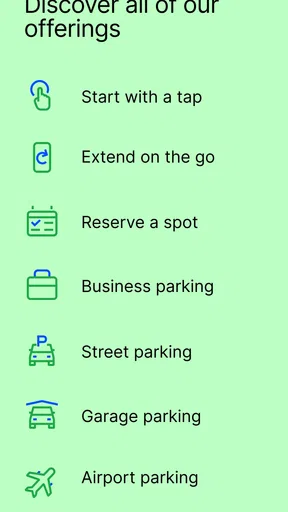
- Reserve parking in advance at participating locations.
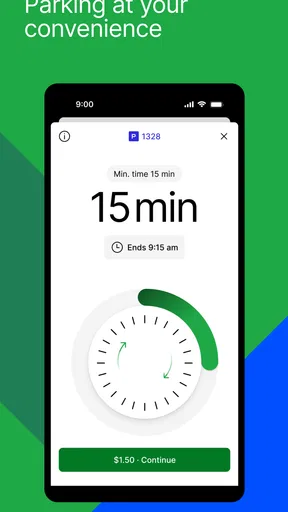
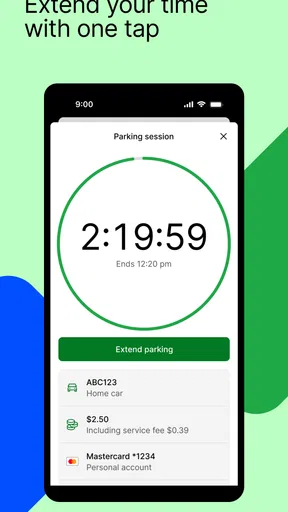
- Extend a parking session remotely when plans change.
- Save vehicle details for faster checkout.
- View parking options and rates before arriving.
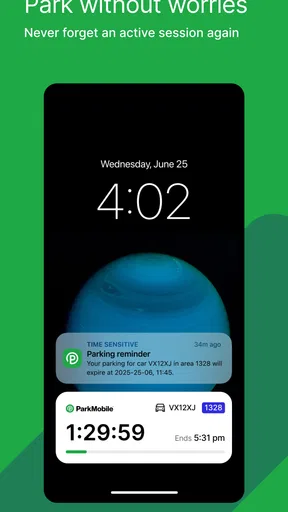
- Receive alerts before a parking session expires.
What could be better
- Coverage is limited to participating parking locations.
- Availability and rates can change without notice.
- Some transactions may include service fees.
- A reliable internet connection is needed for key features.
- Parking disputes may still require contacting the local operator.




