
 Analysis byWeUseApps
Buying or selling a car rarely happens in one sitting. You start with a question—what can I afford, what is nearby, or what might my current car be worth?—and then move through listings, comparisons, conversations, and decisions. Cars.com is built around that journey, giving shoppers a place to browse millions of cars and sellers a way to put their vehicle in front of potential buyers. I like that the app aims to bring the early research and the next steps into one mobile experience, rather than treating car shopping as a quick search with no clear outcome.
From a car-search idea to a practical starting point
The first useful thing about the Cars.com app is its broad purpose. It is an auto and vehicle shopping app for people who are looking to buy, keep track of listings, or sell a car. That makes it relevant at different points in the ownership cycle: you might be replacing an aging vehicle, casually watching the market, or preparing to move on from a car you already own.
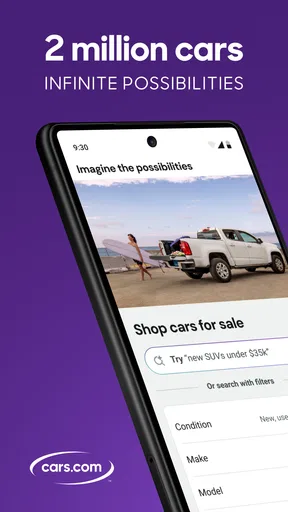
When I open a car marketplace, I want the first step to be straightforward: establish what I am looking for, then narrow the field without losing sight of the bigger decision. Cars.com’s central promise is browsing a large selection of vehicles. A deep pool of listings can be helpful because it gives shoppers more chances to compare options, but it also puts some responsibility on you. You need to be clear about your priorities—vehicle type, budget, location, and must-have details—so the search does not turn into endless scrolling.
That balance is important. A marketplace is only as useful as the way you work through it. I would treat the app as a research companion rather than a decision-maker: it can help surface vehicles and keep candidates in view, while the final judgment still depends on checking the individual listing and deciding whether the car fits your needs. That mindset makes the app more useful, especially when you are browsing on a phone between other tasks.
Setting a useful search direction
Before browsing, I would make a short list of non-negotiables. Think about how many people the car needs to carry, what sort of driving you do, and which features genuinely matter in everyday use. A clear starting point helps turn a large inventory into a manageable shortlist. It also makes comparisons more meaningful: instead of asking whether one car looks appealing, you can ask whether it solves the same problem as the alternatives.
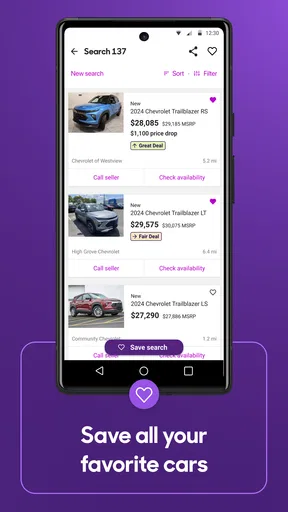
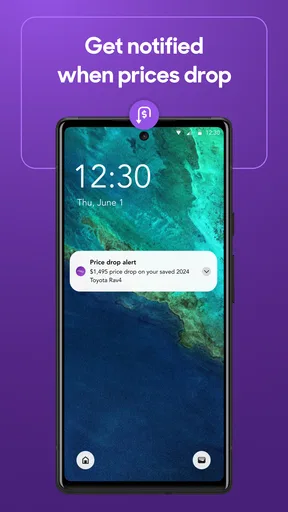
Cars.com can also suit people who are not ready to purchase immediately. Tracking vehicle listings gives you a reason to return and follow candidates over time, rather than relying on memory or keeping a trail of open browser tabs. That is a practical role for a shopping app: it supports an ongoing search, not just the moment when you happen to be ready to contact a seller.
Moving from browsing to comparison
Once I have a few possibilities in mind, the workflow becomes less about volume and more about judgment. I would compare each listing against the same personal checklist, noting which vehicles meet the essentials and which only look tempting at first glance. This is where a marketplace becomes genuinely useful: it helps bring alternatives into view so you can consider them side by side in your own decision process.
There is still a human element to that comparison. Listing details are a starting point, not a substitute for asking questions or evaluating a vehicle in person. The app helps you discover and follow options, but the confidence to move forward comes from doing the rest of the research carefully. I see that as a sensible division of labor: use the app to organize the search, then use direct conversations and your own inspection to test whether a candidate holds up.
The handoff from app to seller
Car shopping eventually leaves the screen. A listing can catch your attention, but the next meaningful step involves the person or business offering the vehicle. That handoff is a natural part of the process, and it is worth approaching it with a prepared set of questions. I would clarify the vehicle’s condition, history, availability, and the practical arrangements for seeing it before investing too much time in a promising-looking option.
This is also where expectations matter. Cars.com helps connect the browsing stage with the possibility of taking action, but a marketplace cannot make every interaction smooth or guarantee that a particular listing will match your hopes. A seller may have updated circumstances, a vehicle may no longer be available, or details may need further explanation. Those are ordinary points of friction in used-car shopping, not reasons to abandon a structured search. The best approach is to keep a couple of alternatives in view and verify the important details directly.
For me, the handoff works best when the app is treated as the beginning of a conversation rather than the whole transaction. Save or track the options that matter, revisit them with fresh eyes, and then contact the seller when you have a focused reason to do so. That keeps the process more deliberate and reduces the chance of getting swept up by a listing before you have considered the practical questions.
When you are the one selling
The workflow looks different when you already own the car. Instead of searching outward, you are preparing to present your vehicle to people who may be comparing it with many others. Cars.com includes the option to sell your car, which gives the app a useful role beyond shopping. It can be part of the transition from ownership to a new vehicle, or simply a place to begin when you are ready to find a buyer.
A good selling experience starts before the listing itself. I would gather accurate information about the vehicle, make sure its condition is described honestly, and think about what a potential buyer is likely to ask. Clear, consistent details help set expectations and make early conversations more productive. The app can provide a route into the selling process, but the quality of the information you bring is still central to how credible and useful your listing feels.
There is a practical handoff here too: the seller moves from preparing a listing to responding to interested shoppers and arranging the next steps. That can involve coordination and patience. The app’s role is to help put the vehicle into the marketplace; the actual exchange depends on communication between people. I appreciate that the product acknowledges both sides of the car market, though sellers should still expect to stay involved rather than assuming a listing alone completes the job.
What the complete journey feels like
As a buyer, the journey begins with a need, moves through a broad search, and becomes more focused as you compare and follow vehicles. As a seller, it starts with a decision to move on, then shifts into presenting the car and handling interest. In either direction, Cars.com makes sense as a car-buying and car-selling resource because it covers more than one isolated moment. Its value is in supporting the path from initial intent toward a real-world conversation.
The app has a substantial audience behind it: it has more than ten million installs, an average rating of 4.7 from around 213,000 ratings, and roughly 21,000 written reviews. Those figures suggest that many people have used it as part of their vehicle search, though popularity alone cannot tell you whether a specific listing or interaction will be right for you. I would take that as context, then judge the app by how well it supports my own workflow.
Cars.com is free, is rated for Everyone, and its current version is 26.20.0. It was released on March 2, 2011, and requires iOS 11 or later. For someone already comfortable using a phone to research purchases, the basic appeal is easy to understand: browse a large vehicle selection, keep an eye on listings, and start the process of selling a car when the time comes.
Where the process can lose momentum
No car marketplace can remove every frustrating part of buying or selling. A large selection can make it harder to choose, especially if you browse without a clear idea of what matters. Listings also need to be checked individually, and the move from digital research to a real conversation takes effort. If you expect the app to make the decision for you or handle every interaction automatically, you may find the experience less seamless than you hoped.
The best way around that friction is to keep your process simple. Decide what you need, shortlist a handful of candidates, and revisit the details before contacting anyone. When selling, prepare a truthful account of your vehicle and be ready to follow through on questions. Those habits make the app’s core strengths—discovery, listing tracking, and access to the selling process—more valuable, while keeping the parts that require personal judgment firmly in your hands.
I would recommend Cars.com to shoppers who want a broad place to begin looking and to owners who are preparing to sell. It is most useful when you have a goal but still need to explore your options, not when you expect a quick tap to replace careful research. The overall experience follows a sensible arc: start with your situation, browse or prepare a listing, narrow the choices, and take the conversation offline when you are ready.
In the end, Cars.com feels like a practical vehicle marketplace app for managing the early and middle stages of a car decision. It gives buyers room to explore and track listings while also giving sellers a starting point for reaching potential buyers. I would still approach every vehicle and seller with care, but as a place to organize the journey from “I’m thinking about a car” to “I’m ready to take the next step,” it has a clear purpose and a useful role.
What we like
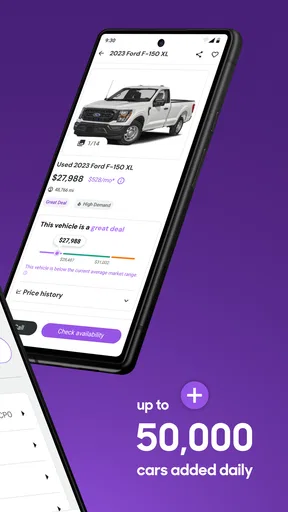
- Compare prices across local dealer and private listings.
- Save favorite cars and revisit them later.
- Vehicle history reports help inform purchase decisions.
- Contact sellers directly through the app.
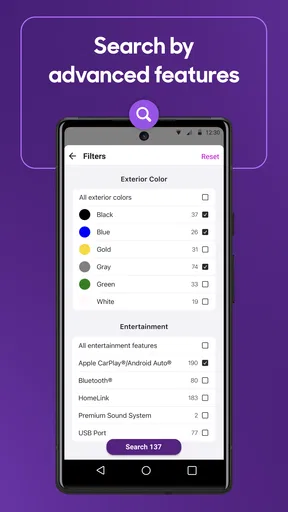
- Search filters make it easier to narrow down results.
What could be better
- Listing quality can vary between sellers.
- Some vehicle history details may require an extra fee.
- Popular cars can sell before you contact the seller.
- Availability and features vary by location.
- The app does not guarantee a seller's claims are accurate.




