

 Analysis byWeUseApps
In a shared household, sports apps can quickly turn into a tangle of different teams, schedules and alerts. ESPN is most useful when I treat it as a common place to check what is happening, while remembering that each person may want a different experience from it. I would recommend it to a friend who follows several sports and wants scores, reporting and live viewing gathered in one app, but I would not assume it automatically solves every household’s account or notification needs.
One app, several ways to follow sports
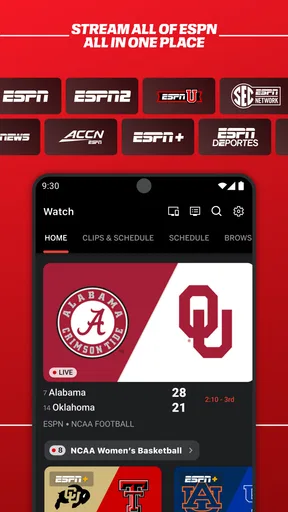
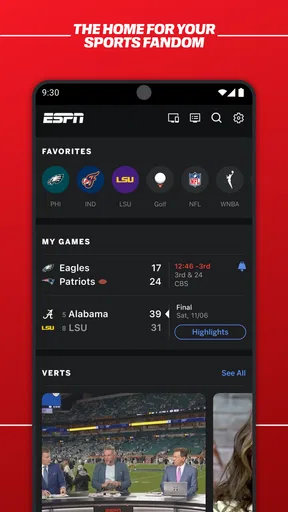
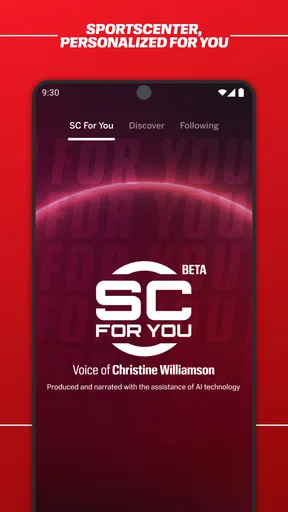
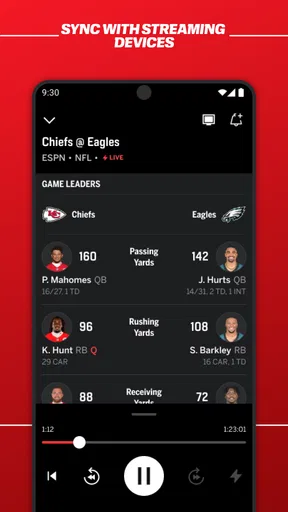
ESPN is a free sports app from Disney, and its broad mix is the main reason I keep coming back to it. I can use it for a quick score check, spend longer reading coverage, or look for live sports when I want to watch rather than just follow the result. That range makes it more useful than a scores-only tool, especially when my interests shift between leagues or events during the week.
The app has been around since June 15, 2010, and its scale is hard to overlook: it has more than 100 million installs, a 4.5 average rating from about 1.2 million ratings, and roughly 199,000 written reviews. Those figures suggest a familiar, widely used service, though they do not tell me whether its mix of coverage fits a particular fan. I judge it by how well it handles the sports I actually follow, not by popularity alone.
In everyday use, I find the value is less about opening one perfect screen and more about having several useful reasons to open the same app. A score check may lead me to a news story; a headline may prompt me to see whether a game is available to watch. That connected routine is convenient, but it can also make ESPN feel busier than a narrowly focused scoreboard.
Sharing a screen without sharing every preference
Picture a household getting ready for dinner while a game is underway. One person wants the score, another wants to know whether a particular event is live, and someone else is catching up on sports news. ESPN can serve those different moments from one place, so there is less need to pass around a remote or search through several apps just to find basic sports information.
That does not mean a shared phone or tablet will naturally reflect everyone’s interests. If one person has already set up a particular routine, the next person may encounter a screen shaped by that use. My practical advice is to agree on whether the device is a communal quick-check tool or someone’s personal sports companion. That small boundary avoids expecting a shared installation to behave like separate, tailored profiles.
For a shared television, I would use the app as a starting point for finding coverage, then make the viewing decision together. The key trade-off is that checking a score is a brief, low-commitment task, while watching live sports can involve a longer session and may bring in paid options. I would not let someone assume that every event they see mentioned is automatically included just because the app itself is free.
Set expectations before alerts take over
Alerts are helpful when a person genuinely wants timely updates, but they are also the easiest way for a sports app to become noisy on a shared device. Before turning them on, I would decide whose phone it is and which person should receive game-day interruptions. If the device belongs to one adult, that person can make the choice; if it is used by several people, a quick conversation is better than letting one person’s favorite team dominate everyone’s lock screen.
A useful household workflow is to use ESPN for the active fan’s close following and keep a second, quieter routine for everyone else: open the app when someone asks for a score, rather than making every update arrive automatically. This is especially sensible during busy weekends, when multiple events can compete for attention. I prefer that approach to enabling every alert and then muting the app altogether, which defeats the point of receiving the updates that matter.
There is a cost boundary worth discussing, too. ESPN is free to download, but it offers in-app purchases priced from $4.99 to $79.99 per item. I would check the purchase details before paying and make sure whoever uses a shared device understands that free access to the app does not mean every paid option is free. For a family or roommates, keeping purchases tied to the responsible account holder is a sensible habit, rather than treating a casual tap as a shared decision.
Watching live sports versus checking scores
The difference between following a game and watching it matters here. If I only need a result or a news update, ESPN can be a quick stop. If I want to watch live sports, I first check what the app actually offers for the event I care about and whether a purchase is involved. That avoids the familiar disappointment of planning a watch party around an assumption that a live listing guarantees access without extra conditions.
Compared with a dedicated scoreboard app, ESPN’s advantage is its broader combination of scores, news and viewing. A specialist score tracker may feel calmer or more focused if all I want is a fast glance at one competition. Compared with opening a television or streaming service directly, ESPN is more useful as a sports hub and discovery point, but the dedicated viewing service may be the better destination once I know exactly what I want to watch.
For coordination, I find it helps to agree on one simple convention: use the app to confirm the score and event status, then tell the group before switching into a live viewing session. That keeps a quick check from unexpectedly becoming a longer screen takeover. It is a small distinction, but it makes the app easier to live with when people share space and have different plans.
Age, trust and account boundaries
ESPN is rated Everyone 10+, which gives households a useful starting point when deciding whether it belongs on a young person’s device. I would still consider how that person uses sports news and live coverage, rather than treating an age label as a substitute for a conversation. A child checking a score alongside an adult is a different situation from a young user independently browsing an app for extended periods.
I also would not assume that a shared installation creates separate personal spaces. Each household should decide whose account, device and purchase choices are involved before anyone begins using paid options or setting up a regular viewing routine. When a child uses a parent’s phone, keeping the adult nearby for purchase decisions is more dependable than relying on an unclear idea of shared access.
For trust, the app’s strongest everyday role is straightforward: it helps people follow sports and find live coverage in one familiar place. My caution is about expectations. A headline, score, alert and viewing option are different kinds of information, and a family should be clear about whether they are using ESPN to keep up or to watch. That distinction reduces confusion without requiring the app to serve as a household organizer.
Who will enjoy it, and who may prefer something else
I think ESPN suits fans who follow more than one sport, like to move between scores and reporting, and sometimes want to watch live events through a sports-focused app. It is also a practical choice for a household where one or two people are the main fans and others only need occasional updates. Its wide purpose makes it easier to recommend than an app built around one narrow competition.
I would steer someone toward a simpler alternative if they want nothing beyond a clean scoreboard, have no interest in sports news, or prefer to manage all viewing from a specific television service. ESPN can feel like more than they need in those cases. It is also not the best fit for a household that expects one installation to keep every person’s preferences, alerts and spending decisions neatly separated without anyone agreeing on boundaries.
The app requires iOS 7.1 or later, so it can run on devices meeting that minimum, though I would still consider whether an older device is comfortable for regular use. ESPN has a 10+ age rating, is free to install, and includes optional purchases in the stated range. Those details make it easy to try the basic experience, while leaving the household responsible for deciding whether any paid viewing or extras are worthwhile.
My household verdict
For me, ESPN works best as the household’s shared sports reference point, not as a substitute for agreeing on who gets alerts, who makes purchases or when the television is being used. Its combination of scores, coverage and live viewing gives it more flexibility than a basic tracker, and I like being able to move from checking a result to exploring the surrounding story without starting over in another app.
The limitations are manageable if expectations are clear: a free download does not make every in-app option free, and a shared device does not guarantee a separate experience for each person. I would install it for a sports-minded household, start with on-demand checks rather than a flood of alerts, and discuss paid choices before anyone taps through. If your family wants a focused score glance, choose a simpler tracker; if you want one broad app to help several people keep up with sports, ESPN is a sensible place to start.
What we like
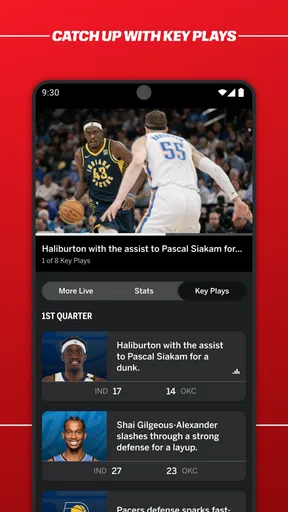
- Live scores and play-by-play updates keep you informed during games.
- Personalized alerts help you follow favorite teams and matchups.
- Highlights offer quick recaps when you cannot watch live.
- The app covers a wide range of sports and competitions.
- Some live events are available to stream in the app.
What could be better
- Streaming access may require a TV provider or paid subscription.
- Some features and events vary by country or region.
- Frequent notifications can become distracting without careful settings.
- Live streams may use substantial mobile data.
- Coverage and streaming availability can differ across sports.




