
 Analysis byWeUseApps
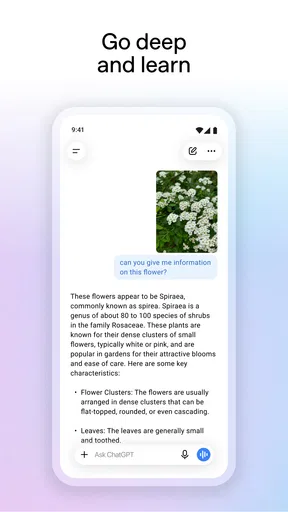
I reach for ChatGPT when I need to get from a vague thought to a usable first draft, make sense of a complicated topic, or explore an idea without opening several separate apps. It is a productivity app from OpenAI, but it feels less like a conventional task manager and more like a flexible conversation partner: I describe what I need, then refine the answer through follow-up questions. That flexibility is its main strength—and the reason it rewards clear instructions rather than treating every first response as finished work.
How it fits into a working day
In practice, ChatGPT is most useful when the next step is not obvious. I might ask it to turn rough notes into a polite message, outline a presentation, explain a technical term in plain language, or suggest a sensible order for a list of errands. These small jobs are where conversational AI can save effort: there is no need to find the exact feature name or navigate a specialized tool before making a start.
The app’s store description points to writing, search, image generation, and other assistance. The breadth is appealing, but I find it helps to treat each request as a specific task rather than asking it to “do everything.” For example, asking for a short email with a warm tone and a clear deadline is more actionable than requesting a generally professional rewrite. If the result is close but not quite right, I can ask for one controlled change instead of starting over.
A realistic everyday use is preparing for a busy morning. I can paste a set of meeting notes and ask for a concise summary, a list of decisions, and a few questions that still need answers. I would then check the summary against the original notes before sharing it. This is a useful division of labor: the app helps organize material, while I remain responsible for accuracy and context.
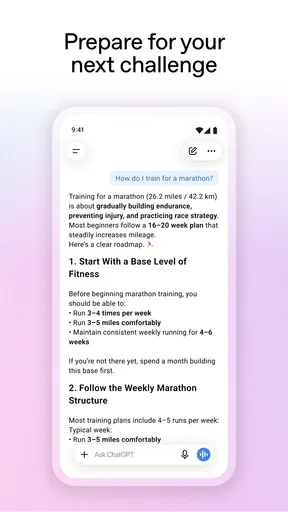
It also works well for learning in short bursts. Instead of asking for a broad explanation of a subject, I can request an example, then ask what a particular term means or where my understanding might be wrong. That back-and-forth is more approachable than a dense search-results page when I am trying to build a basic mental model. For authoritative or time-sensitive information, though, I still verify important details elsewhere.
Conversation is the main interface
Unlike a standard notes app, ChatGPT does not begin with a document structure, folder hierarchy, or fixed set of forms. I explain the goal in everyday language and use the response to steer the next step. This makes it easy to try an idea, but it can also mean that useful work is buried in a long conversation. I recommend giving important tasks a clear purpose and keeping unrelated questions separate, so the thread remains understandable when you return to it.
One practical technique is to include the audience and the constraints in the first request. “Summarize this for a new employee in five plain-language points” gives the assistant a better target than “summarize this.” Another is to ask it to identify assumptions or uncertainties before producing a polished answer. That does not guarantee correctness, but it can make the review process more deliberate and reveal where you should check the source material.
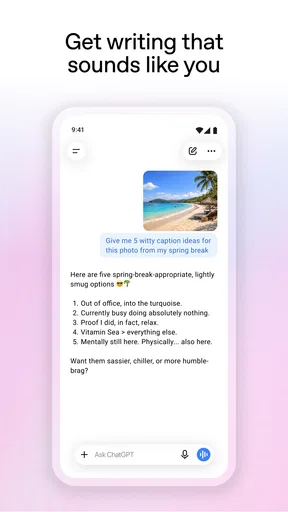
For writing, I would use it as an editor and brainstorming partner rather than an automatic voice replacement. It can help me compare tones, find a clearer order, or produce several openings to react to. The trade-off is that a smooth draft can sound generic if I accept it untouched. Adding specific details from my own experience and removing phrases I would never naturally use usually makes the final result more convincing.
Useful workflows beyond a quick question
There are a few less obvious ways to get more value from the conversational format. For planning, I can give it the fixed commitments, available time, and priorities, then ask for a schedule that leaves room for interruptions. I still need to judge whether the plan is realistic, but stating constraints up front avoids a neat-looking timetable that ignores how my day actually works.
For a document that needs careful revision, I can ask for separate passes: first identify unclear sections, then suggest changes, and only then rewrite the parts I approve. This is safer than asking for a complete transformation in one go, especially when preserving meaning matters. It also makes the assistant’s contribution easier to inspect because I can compare individual edits with the original.
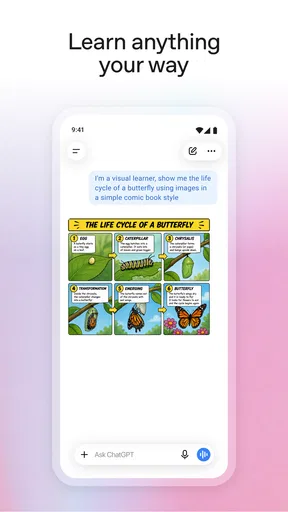
Image generation can be useful when I want to explore a visual direction or create a rough concept to discuss. I would treat such output as a starting point, not a substitute for a carefully specified design process. If the exact layout, brand details, or factual accuracy matter, I would review the image closely and use a dedicated design tool for final production. The advantage here is speed of exploration; the limitation is that a prompt alone may not express every detail I have in mind.
Search-related assistance can help me orient myself around a question, but I do not treat a confident answer as proof. For decisions involving health, money, law, or current events, I check reliable primary sources and pay attention to whether the answer actually addresses the question I asked. ChatGPT is most valuable in that situation as a guide to what to investigate, not as the final authority.
What has changed, and what that means in use
The app’s release history begins on July 21, 2023, and its current version is 1.2026.293. Those milestones show that this is an evolving product rather than a one-time novelty. They are useful context, but a version number by itself does not tell me which individual capabilities have changed or whether a particular workflow will behave differently on every device.
For someone who has used the app before, the sensible approach is to judge the current experience by the tasks they actually care about. A person who mainly drafts messages may notice little practical difference from one update to another, while someone who uses several kinds of assistance may find it worthwhile to revisit how they phrase requests and organize conversations. I would not assume that a newer version automatically means every answer is more accurate or that every limitation has disappeared.
The app has a 4.8 average from around 66 million ratings, with roughly 206,000 written reviews and over a billion installs. That scale suggests it has become a familiar tool for many people, but popularity is not a substitute for fit. My own recommendation depends more on whether conversational assistance suits the task than on how many others have downloaded it.
Where it falls short—and when another tool is better
The central limitation is that a fluent answer can still be incomplete, mistaken, or mismatched to the details of a request. I avoid pasting an answer directly into a high-stakes decision without checking it. Even for everyday work, I read the result carefully for invented specifics, missing caveats, and wording that sounds certain when the underlying question is ambiguous.
It is also not the right replacement for every productivity app. If I need a dependable task list with dates, reminders, and a clear view of what is due, a dedicated planner is more direct. If I need to edit a long document with precise layout controls, a word processor is better. If a question requires a source I can inspect and cite, a conventional search engine or a trusted reference may be the stronger starting point. ChatGPT can help prepare those tasks, but it does not make their specialized tools unnecessary.
Privacy and judgment deserve attention too. I think carefully before sharing personal, confidential, or workplace-sensitive material with any conversational assistant. When possible, I remove identifying details and describe the problem in general terms. That habit is useful even when the request seems routine, because a draft or summary can contain more context than I intended to include.
There is a learning curve in getting useful results. Broad prompts often produce broad answers, and repeated follow-ups can take longer than using a familiar template or a purpose-built tool. I would skip the app if I strongly prefer a fixed interface, need every action to be deterministic, or do not want to review generated work. It is a better match for people comfortable steering, checking, and editing.
Cost, audience, and practical expectations
ChatGPT is free to download, with in-app purchases ranging from $8.00 to $500.00 per item. That range is worth checking in the app store before committing to a purchase, since the free starting point and paid options are distinct parts of the experience. I would begin by testing whether the available access handles my ordinary tasks before deciding whether a purchase makes sense for my own routine.
The content rating is Teen, and the minimum operating-system requirement is 7.1. The app is aimed at a broad audience, but younger users still benefit from guidance about checking answers and sharing information carefully. Its developer is OpenAI, which is relevant for anyone comparing it with other conversational assistants and considering who provides the service.
For a first session, I suggest choosing one low-risk task you already understand: rewrite a short note, explain a familiar concept, or turn a few bullet points into an outline. Then compare the response with what you wanted and give one precise correction. This quickly reveals whether the assistant’s conversational style feels helpful, without asking you to trust it with something important before you know how it behaves.
My recommendation as the product continues to evolve
ChatGPT earns a place in my productivity toolkit when I need help thinking, drafting, or exploring options—not when I need an unquestioned answer or a specialized system to manage the final result. Its biggest advantage is that I can move from a rough request to a more tailored response through conversation. Its biggest cost is the attention required to guide and verify that response.
As the app continues to change, I would watch for practical improvements that affect the work I actually do: clearer ways to revisit useful material, dependable handling of follow-up context, and better support for checking claims. Those are expectations, not promises about what a future version will deliver. For now, I recommend trying it as a flexible assistant, keeping sensitive details out of prompts, and using another tool whenever precision, traceability, or structured task management matters more than conversational convenience.
What we like
- Provides clear answers to a wide range of questions.
- Can summarize long passages into key points.
- Helps brainstorm ideas for writing and creative projects.
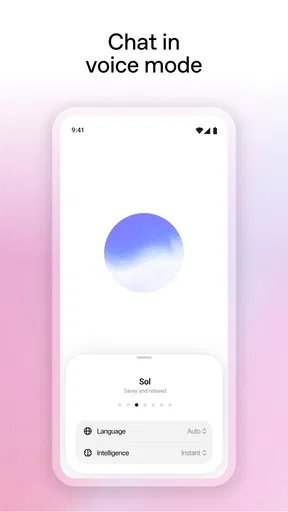
- Supports voice conversations for hands-free interaction.
- Lets users share chats through convenient links.
What could be better
- May present incorrect information with confidence.
- Some features require a paid subscription.
- Answer quality can vary with how prompts are phrased.
- Voice and advanced tools may not be available in every region.
- Shared chat links may expose conversation details to anyone who has them.