
 Analysis byWeUseApps
The first time I open Cash App, I don’t think of it as a traditional bank app or a dedicated investing tool. It is better understood as a money app that brings several jobs—sending and receiving money, banking-related tasks, bitcoin, and investing—into one place. That combination is convenient if you want to handle more than one kind of transaction without switching apps, but it also means the experience can feel broader than a simple payment wallet. My advice to a new user is to begin with one straightforward task, such as sending money to someone you know, and explore the other areas only when you have a reason to use them.
What to expect before your first transaction
Cash App is a free finance app from Block, Inc. Its long-running presence is reflected in an average rating of 4.7 from around 4.5 million ratings, alongside more than 100 million installs. Those numbers suggest a widely used product, but popularity should not be mistaken for a guarantee that every feature suits every person. Money apps are only useful when their workflows match your habits, and the breadth here is both the main attraction and the main trade-off.
The core appeal is having everyday payments and other money-related options close together. If you mostly want a quick way to pay a friend, you can keep your use simple. If you are also curious about investing or bitcoin, those options are part of the same broader experience. I find that useful for people who prefer one familiar starting point, but it may be less appealing if you want a narrowly focused app with no financial extras competing for attention.
It helps to set expectations about what “banking” means in this context. Cash App presents banking-related capabilities, but I would not assume that its layout or routines will match a conventional bank’s full account-management experience. If your priority is a long-standing relationship with a bank, branch support, or a specific account service, compare the app with your bank’s own tools before making it your main financial hub. Cash App is most compelling when its direct, app-based tasks are the ones you actually need.
The app is rated for Everyone, and it is free to download. That makes it easy to try, but “free” should not be read as a promise that every financial activity is cost-free; I would check the terms shown for a particular transaction or service before confirming it. Its current version is 5.74.0, and the stated minimum operating system is 10. For a first-time user, the practical point is simply to make sure the device meets that requirement and to keep the app current through the app store.
Why the all-in-one approach can help—and distract
In many finance apps, you choose between a payments-first wallet, a bank’s account app, and an investing platform. Cash App brings several of those purposes into one environment. That can reduce app switching: a person might receive money from a roommate, keep track of everyday funds, and later look into investing without starting from an entirely different product. The convenience is strongest when those needs genuinely overlap.
The trade-off is that not every user wants payments, bitcoin, and investing presented as neighboring possibilities. If you only need to split occasional household costs, the wider selection may feel unnecessary. If you already use a bank and a brokerage that meet your needs, moving activity into another app may add a separate balance and another place to monitor. I would treat Cash App as an option to complement your existing setup first, rather than assuming it needs to replace everything.
Setting it up without rushing
For a reassuring first setup, download the app from the official app store and follow the prompts it presents. Use your own information and take a moment to review each screen rather than treating setup as a formality. Financial apps rely on accurate account details for their intended workflows, so hurriedly tapping through can create avoidable confusion later. I would also secure the device itself and avoid setting up or using the app while someone else can see sensitive information.
Before sending money, check that you have selected the intended recipient and entered the intended amount. That sounds obvious, but it is the most useful habit to build before a payment app becomes part of a quick routine. A saved contact or familiar name can make a transaction feel automatic; pausing to verify the person is especially worthwhile when you are paying someone for the first time or responding to an unexpected request.
Another sensible first-use choice is to decide what you want the app to do for you. If the answer is “send a small amount to a friend,” focus on that path and leave investing or bitcoin for another day. If you are exploring those features, read the screens for that specific activity carefully and distinguish an informational prompt from a transaction you intend to make. This keeps the first session manageable and makes it easier to notice whether the app’s organization works for you.
Your first meaningful success: a simple payment
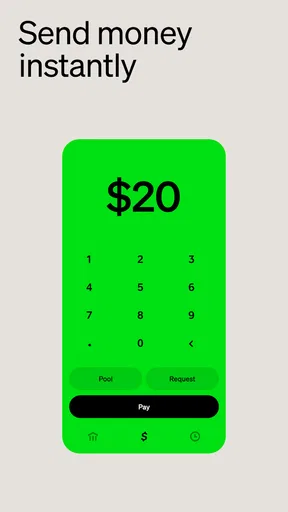
A realistic first win is settling a shared expense. Imagine a friend covered coffee or a group purchase, and you want to pay your part without arranging cash. Open Cash App, follow its send flow, identify the right person, enter the amount, and review the details before confirming. The goal is not to test every feature at once; it is to complete one ordinary task confidently and understand where to check the outcome afterward.
For a first payment, I would choose someone I know personally and confirm the recipient through a separate conversation if there is any doubt. That small extra step is a better safeguard than relying on a familiar-looking name alone. It also gives you a low-pressure way to learn the app’s rhythm: where the amount goes, what the confirmation looks like, and how the activity appears afterward. Once that feels clear, you can decide whether the app is convenient enough for routine use.
Receiving money is another practical way to evaluate the app. If a friend is sending you a share of a bill, agree on the amount and make sure both of you are using the intended recipient details. A useful habit is to keep the payment conversation specific—what it is for and who is paying—rather than treating an incoming transfer as self-explanatory. That can help you distinguish a legitimate expected payment from an unfamiliar or confusing one.
One non-obvious benefit of starting with a small, familiar transaction is that it lets you assess the whole workflow, not merely the send button. You learn whether the app is easy to navigate, whether the person you need is straightforward to identify, and whether the activity history is clear enough for your own record-keeping. If any of those steps feels awkward, that is valuable information before you rely on the app for more frequent payments.
Common points of confusion for new users
The first likely misunderstanding is assuming that every part of the app is just another way to send money. Payments, banking-related options, investing, and bitcoin have different purposes and different consequences. I would not move into an investment or bitcoin screen simply because it appears alongside everyday transactions. Take time to understand the particular action, the risks involved, and any terms shown before deciding whether it belongs in your financial routine.
A second source of friction is treating the app as interchangeable with a regular bank account. Cash App can be useful for particular money tasks, but a person’s needs may include services and support that are better handled by their bank. If you depend on a specific account feature, check that it is available in the way you need before changing how you receive or manage money. Keeping a familiar banking option in place while you learn the app is a cautious, practical approach.
It is also easy to confuse convenience with certainty. A quick payment flow does not remove the need to check the recipient, amount, and reason. If a request feels urgent, unexpected, or inconsistent with what you agreed to, pause and verify it outside the payment request. This is especially important when the app is new to you and you have not yet developed a routine for reviewing transactions.
Finally, a single app can make financial activity feel more unified than it really is. A payment, a banking task, and an investment are not the same kind of decision, even if they appear in one interface. I recommend keeping your mental categories separate: use payment features for agreed transfers, banking-related features for the task they support, and investing or bitcoin only when you are deliberately choosing to take on that kind of activity.
Who will get the most from it
Cash App is a good fit for someone who wants an approachable way to send or receive money and values having other financial tools available nearby. It may suit people who split costs with friends, handle informal payments, or are interested in exploring more than basic transfers from one app. Its broad adoption can also make it familiar to people in their social circle, though I would still confirm the recipient rather than assume everyone uses it in the same way.
It is less suitable for someone who wants only a conventional bank interface, dislikes having investing and bitcoin alongside payment tools, or prefers to keep financial activities separated across specialist apps. It may also not be the right choice if you need a particular service that your existing bank already provides more clearly. In those cases, the usual alternative—a bank’s own app for account management, a dedicated payments app for transfers, or a specialist platform for investing—can be a better match, even if it means switching between tools.
My practical recommendation is to compare based on your most frequent task, not the number of features. If your weekly routine is mostly paying friends, judge the payment flow and your comfort with checking recipients. If your priority is banking, compare the account tools you rely on. If investing is the main reason you are considering it, evaluate that part separately rather than letting the convenience of payments decide for you.
What to try after the first payment
Once you have completed a simple transaction, take a moment to review the activity and make sure you can recognize what happened. That small review helps build a reliable habit and makes it easier to spot anything unexpected. If you plan to use Cash App regularly, decide how often you will check activity and keep that routine consistent instead of relying on memory.
After that, explore only the next feature that answers a real need. You might receive a payment before deciding whether to use other banking-related tools, or you might read about investing without placing a transaction immediately. For bitcoin, the same principle applies: understanding the screen and the nature of the activity should come before acting. Moving one step at a time is not a limitation; it is a sensible way to stay in control of a multi-purpose finance app.
If you are comparing Cash App with alternatives, test the parts you expect to use most and consider how the app fits alongside your current accounts. A useful question is whether it makes a recurring task clearer or merely adds another place to check. If it saves effort for your everyday transfers and you are comfortable with the broader menu, it can earn a place in your routine. If it creates uncertainty or duplicates what you already do well elsewhere, there is no need to force it into your setup.
My take after considering the everyday experience
I see Cash App as a convenient starting point for people who want everyday payments and several other money tools within reach, rather than as a universal replacement for a bank or a specialist investing service. Its strongest quality is the ability to keep common tasks close together; its biggest caveat is that users need to be deliberate about which financial activity they are choosing. A focused first session—setup, one verified payment, and a quick review of the result—is the best way to find out whether that balance works for you.
If that first transaction feels clear and you value the broader set of options, keep exploring at your own pace. If all you need is a simple transfer tool, or if you want a traditional bank experience with a narrower purpose, another app may feel more comfortable. For me, the sensible approach is to start small, verify every payment, and let actual needs—not the presence of extra features—decide what to use next.
With an Everyone age rating, a free download, and a release history stretching back to October 15, 2013, it is an established option in finance rather than a brand-new experiment. Still, the right choice depends on your habits. I would recommend trying it for a familiar, low-stakes payment first, then deciding whether its mix of transfers, banking-related tools, investing, and bitcoin earns a larger role in your personal setup.
What we like
- Send money to other Cash App users with just a phone number or email.
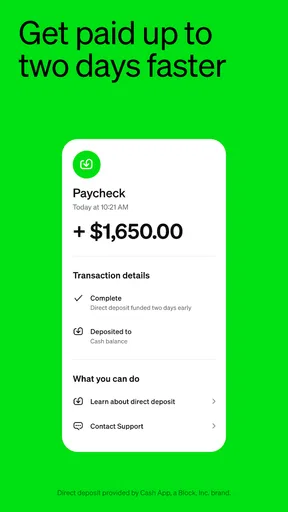
- Set up direct deposit to receive paychecks in the app.
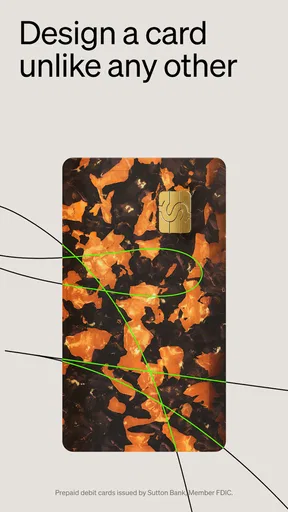
- Use a customizable Cash App Card for purchases and ATM withdrawals.
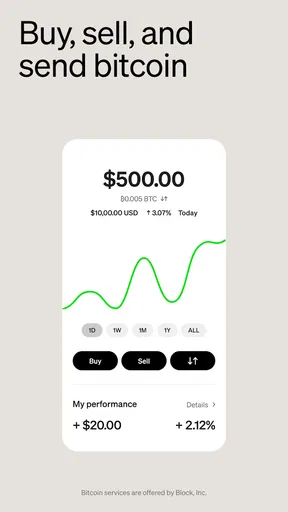
- Buy and sell Bitcoin directly through the app.
- Enable Security Lock to require a PIN or biometrics for payments.
What could be better
- Some transfers may incur fees depending on the payment method.
- ATM withdrawals may require a fee unless eligibility conditions are met.
- Bitcoin purchases and sales can include service fees and price spreads.
- Cash App support is primarily handled through the app or website.
- Payment disputes may be difficult to resolve after sending money.




