

 Analysis byWeUseApps
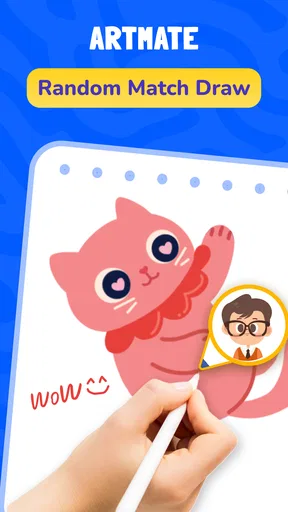
Artmate: Drawing Together is an art app built around making pictures with other people, rather than working alone in a full-featured digital studio. That difference shapes both its appeal and its limits. I’d recommend it to someone who wants a friendly way to draw alongside friends or ease into drawing with guided lessons, especially if a blank canvas feels intimidating. I wouldn’t choose it as my main tool for polished illustration or precise professional work.
Drawing feels more approachable when the app shares the activity
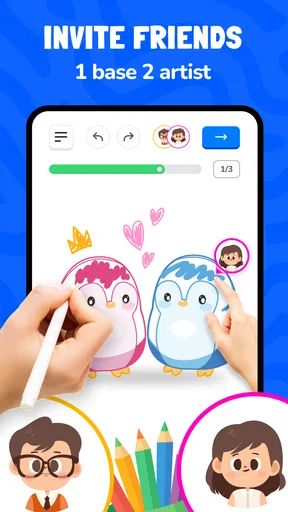
Artmate sits in the art and design category, but its strongest idea is social: drawing is something you can do together. Braly JSC is the developer, and the app’s focus makes it feel closer to a casual creative activity than a traditional drawing program. That can matter for beginners. Instead of needing a finished concept before opening a canvas, you can treat the time spent drawing as the point of the session.
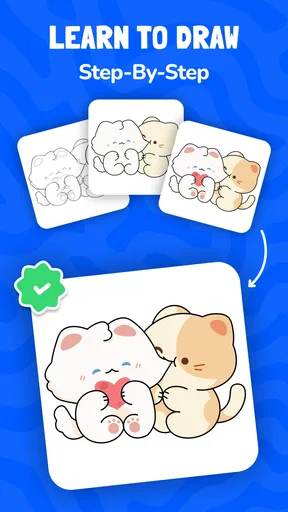
In my view, the lessons are important for the same reason. Simple instruction can turn an open-ended task into a sequence of manageable steps. If you are unsure how to begin, a lesson offers a route into making something without requiring you to know art terminology or arrive with a plan. It is a useful distinction from conventional drawing apps, which often put tools first and leave you to decide what to do with them.
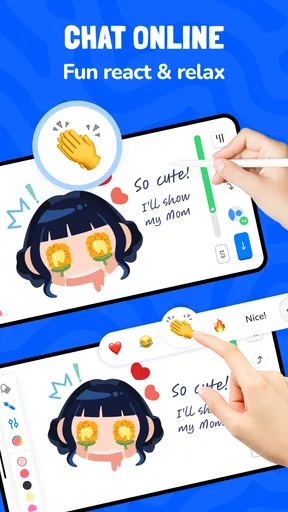
The social angle also changes what counts as success. A relaxed sketch made with a friend can be more rewarding than a technically impressive picture made alone. That makes the app a natural fit for a casual catch-up, a shared activity with family, or a low-pressure way to encourage someone who says they “can’t draw.” It is not necessary to approach it as a course or a test of skill.
Readable enough for a casual start, with a learning curve to watch
Artmate’s stated focus gives newcomers a clear reason to try it: draw with others and use lessons to get started. That framing is easier to understand than a crowded toolset full of unfamiliar brushes and settings. Still, a simple idea does not guarantee that every control will be obvious to every user. I would take a few minutes at the beginning to explore the lesson flow and drawing controls before inviting someone else into a session.
That small bit of orientation can make a shared activity smoother. If one person is still figuring out how to begin while another is ready to draw, the difference in confidence may become the main distraction. A good approach is to try a lesson alone first, then use a familiar exercise as a starting point when drawing with someone. It reduces the pressure to invent a subject on the spot and lets the group spend more time making marks.
The app has a 4.6 average from around 23,000 ratings, with roughly 262 written reviews. Those figures suggest that many people have found it worthwhile, but they cannot tell you whether its interface suits your vision, hand control, preferred pace, or learning style. I’d treat them as a reason to consider trying it, not as a guarantee that the experience will work equally well for everyone.
Motor and sensory comfort depend on the person
Drawing on a phone or tablet can be convenient, but it is also a physical task. Small movements, repeated strokes, and keeping a hand steady may be tiring for someone with limited dexterity, tremors, joint discomfort, or fatigue. A lesson can help by giving the session a clear purpose, but it does not remove the demands of making marks on a screen. If drawing becomes uncomfortable, shorter sessions and breaks are a more sensible test than trying to push through.
Touch drawing can also involve a trade-off between speed and control. A finger is always available, while a stylus may feel more natural for someone used to pen-and-paper sketching; either way, the result depends on the device and the person using it. I would start with broad, uncomplicated shapes rather than detailed line work. That lets you judge whether the controls feel comfortable before investing time in a more elaborate picture.
For sensory comfort, the most useful practical step is to choose a calm moment and keep the first session simple. Drawing alongside someone can be encouraging, but conversation and the pressure to keep pace may also be distracting. A solo lesson first, followed by a shared session later, is a good option for anyone who prefers to learn without an audience. If visual detail is difficult to follow, the app’s usefulness will depend on how clearly its lessons and drawing surface appear on your particular screen; I would check that before relying on it as a regular learning tool.
Where a shared drawing session fits into everyday life
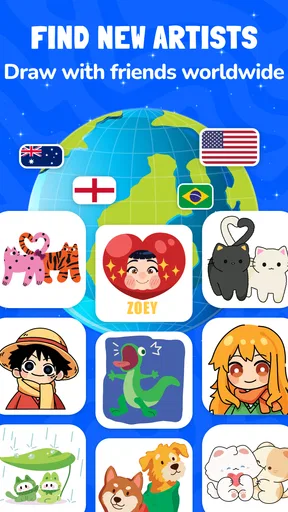
One realistic use is a short evening activity with a friend who lives elsewhere. Rather than searching for a game both people already know, you can make drawing the shared focus and use a lesson to avoid the awkward “what should we draw?” pause. The best result may not be a keepsake-worthy picture. It may simply be a relaxed conversation with something creative to do while you talk.
It can also work as a gentle activity for a parent and child, or for friends with very different levels of confidence. A beginner can follow a lesson while a more experienced participant treats the prompt as a loose starting point. That flexibility is useful, though it helps to agree on a low-pressure goal: experiment, finish a small sketch, or just spend time together. Expecting everyone to produce the same quality of work would miss the app’s casual appeal.
Artmate is free to install and rated for Everyone, which makes it easy to consider for a broad range of ages. It has more than 10 million installs, but popularity does not settle whether it suits a particular household or group. In-app purchases range from $0.49 to $14.99 per item, so I’d check the purchase options in the app store before handing a device to a child or assuming every part of the experience is included at no cost.
The app is currently at version 1.1.42 and requires Android 7.0 or later. Those details are useful when deciding whether an older Android device can run it, but compatibility is only part of access. A device with a small display, an unresponsive touch surface, or limited battery life can make a drawing activity less comfortable even if the operating system meets the requirement. For iOS users, I’d check the app store on the device for current availability and compatibility before planning a session.
What it does not replace
The usual alternative is a solo drawing app with a broader set of creative tools. That kind of program is a better choice if you want close control over a finished illustration, prefer to work independently, or need a workflow built around detailed editing. Artmate’s distinguishing value is the combination of shared drawing and guided entry, not a promise to replace a dedicated studio. If your priority is exporting refined artwork or learning a deep, technical toolset, compare those needs against what you can actually do in the app before committing to it.
There is a corresponding limitation for group use: social drawing works best when the other person is available and interested. If friends do not want to join, or if you prefer complete quiet, the multiplayer emphasis may feel less useful than a straightforward solo sketchbook. Lessons can still offer a starting point, but they may not match someone who already has a particular subject, style, or advanced technique in mind.
Accessibility is another area where I’d avoid assuming that one design choice works for everyone. A beginner-friendly lesson may help with confidence, but that is different from supporting every motor, visual, hearing, or cognitive need. People who rely on a particular assistive setup should test the app on their own device before making it part of a class, family routine, or regular creative practice. For an activity that needs highly predictable controls or customized accessibility options, a tool already known to work with that person’s setup may be the safer choice.
A practical way to decide whether it suits you
My suggestion is to begin with one short lesson and judge three things: whether you can follow the instructions comfortably, whether the drawing interaction feels manageable, and whether making art with another person sounds enjoyable rather than distracting. If those parts click, invite a friend and choose a simple goal. If the lesson feels too restrictive, the controls cause discomfort, or you want more precise editing, you will know early that another drawing app is a better fit.
It is also worth being clear about what you want from the activity. For a shared creative break, Artmate makes a persuasive case: it gives beginners a way into drawing and turns the process into something social. For an independent artist, a person who needs extensive customization, or someone seeking a fully controlled learning environment, its emphasis may not be enough. That is not a flaw so much as a specific choice about what kind of drawing experience to prioritize.
My inclusive verdict: Artmate: Drawing Together is most appealing when approachability and companionship matter more than technical depth. I’d recommend giving it a try if you want a guided, low-pressure way to draw with friends, while keeping expectations realistic about touch-based drawing, individual comfort, and in-app purchases. It can make creative time easier to begin, but the right choice for someone with specific access needs is the one they can use comfortably on their own device.
What we like
- Offers a relaxed way to practice drawing with others.
- Shared sessions can make art feel more social.
- Useful for beginners who want to draw alongside peers.
- Supports creative inspiration through collaborative activities.
- A casual format can make practice more enjoyable.
What could be better
- A stable internet connection is needed for group sessions.
- The experience may depend on finding active drawing partners.
- Drawing tools may feel limited to experienced artists.
- Group participation may not suit users who prefer working alone.
- Some features may require account setup or permissions.




