
 Analysis byWeUseApps
I find YouVersion Bible App + Audio most useful when I want Bible reading to fit around ordinary life rather than depend on sitting down with a printed book at a set time. It brings reading, listening, study material, and devotional plans together in one place. That convenience is the main reason I’d suggest trying it; the trade-off is that its many choices can make the first visit feel busier than a simple Bible reader.
Made by Life.Church, this free Bible and reference app is rated Teen. Its 4.9 average from around 9.3 million ratings, along with more than 100 million installs, suggests it has become a familiar tool for a great many readers. I’d still judge it by whether its layout and reading options suit your habits, not by its popularity alone.
Where reading and listening can get awkward
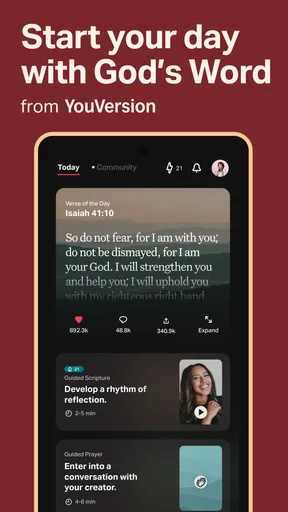
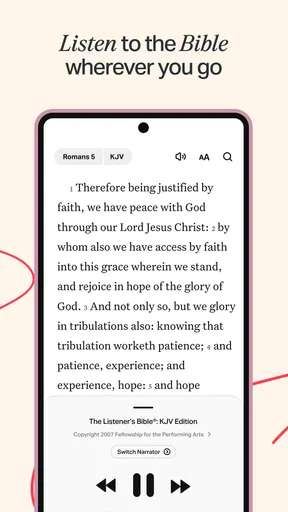
YouVersion Bible App + Audio is designed for more than opening a chapter and reading straight through. You can approach Scripture through audio, a verse of the day, study resources, or a devotional plan. That range is useful once you know what you want, but it can make a quick task feel like a choice among several starting points.
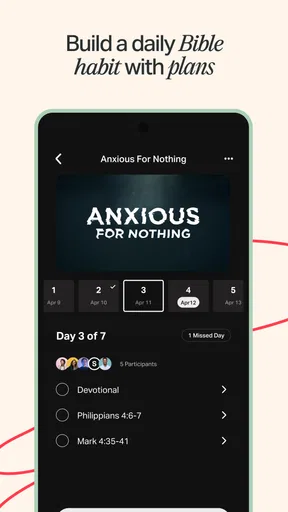
My practical advice is to begin with one routine. If you want a short daily reading, pick a plan and return to it. If you prefer to listen, start with an audio passage and see whether that fits your commute or household routine. Trying to explore every section on day one is more likely to create decision fatigue than a lasting habit.
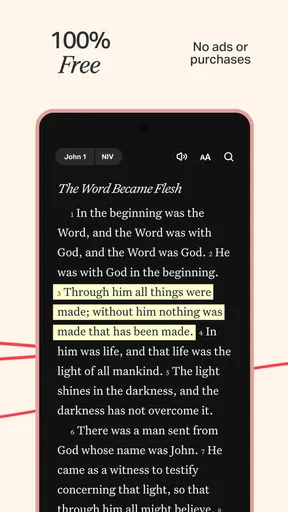
Audio is especially helpful when looking at a screen is inconvenient: for example, while getting ready in the morning or taking a walk. It is not a perfect substitute for reading, though. Names, references, and poetic passages can be easier to follow on the page, and background noise may make listening less comfortable. I’d switch between listening and reading rather than assume one format works equally well for every passage.
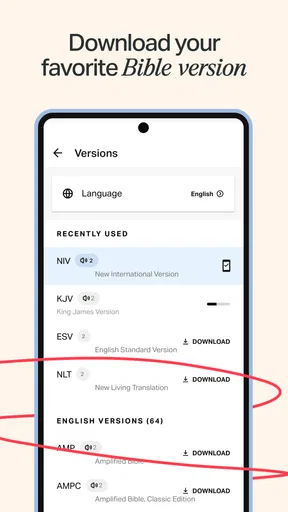
Translation choice is another place where readers can pause. Different versions may use different wording, so a familiar verse can sound noticeably different from what you remember. When a passage feels unclear, compare the available wording or read the surrounding verses before drawing a conclusion from one line. The app is a convenient reading tool, but interpretation still takes care.
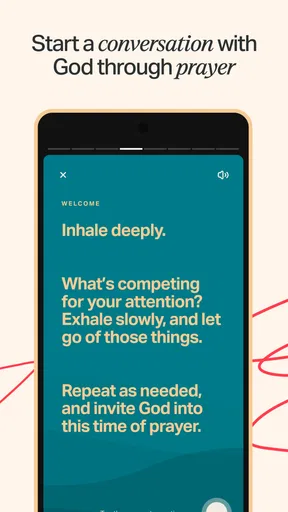
Devotionals can also shape how a passage lands. They are useful for prompting reflection, especially when you are not sure where to begin, but they are not the same thing as reading the full biblical context. I prefer treating a devotional as a guide into a passage, then opening the text itself and reading beyond the selected excerpt.
Start small instead of configuring everything
For a first session, I’d choose a single book or plan, read a short section, and only then decide whether I want audio or additional study material. This keeps the app from turning a quiet moment into a setup project. If you are helping a family member get started, showing them how to return to the current reading is often more useful than explaining every available section.
A realistic use case is a busy weekday: I might listen to a passage while making breakfast, then revisit a sentence later in the day when I have a moment to read carefully. That split approach makes audio a practical entry point without asking it to do all the work. A reader who wants a distraction-free page, by contrast, may prefer a printed Bible or a simpler reading app.
Setup checks that prevent avoidable frustration
Before relying on audio or offline reading, check that the passage or material you need is available in the format you intend to use and that any preparation the app requires has finished. Offline access is valuable when connectivity is unreliable, but it is best treated as something to prepare for in advance rather than discover at the moment you need it.
If a reading plan or passage seems to have disappeared, first confirm that you are looking in the same area of the app where you started it. A plan, a Bible passage, and a saved reading are not necessarily the same kind of item, so returning to the relevant section can be faster than searching the entire app. I also recommend keeping the next intended passage in mind before closing the app; that small habit makes it easier to resume without browsing around.
When audio does not play as expected, check the basics before assuming the content is broken: confirm the device’s volume, try another passage, and make sure the connection is stable if the material needs to load. If you are listening through an external audio device, check that the phone is sending sound to the output you expect. These are ordinary checks, but they can quickly distinguish a playback issue from a navigation mistake.
The app’s current version is 11.34.1+7098322, and it runs on Android 7.0 or later. If an option behaves differently from what you remember, updating through the app store and restarting the app are sensible first steps. I would avoid changing several settings at once: make one adjustment, test the passage again, and you will have a clearer idea of what helped.
Recovering your place without restarting your routine
If you lose track of where you were, return to the book and chapter rather than starting a new plan just to find familiar content. For a plan, look for its current reading and continue there; for general study, reopen the passage you meant to explore. Keeping these two workflows separate helps prevent the common feeling that you have to rebuild your entire routine after one interrupted session.
A useful practice is to finish by noting a chapter or a specific verse mentally, or by using whatever saving or marking option you already recognize in the app. Then, when you come back later, you can resume from a concrete point instead of trying to remember which screen you last viewed. I would not save every passage indiscriminately: a small, intentional collection is easier to revisit than a long trail of items with no clear purpose.
If the app seems slow or a section fails to load, try moving to another part of the app and returning, then check your connection if the content depends on it. Restarting the app can also help with a temporary stuck screen. If the same issue continues across different passages, it may be worth checking for an app update or consulting the app store’s support options rather than repeatedly tapping the same control.
When the problem may be outside the app
Not every frustrating session points to an app fault. A weak connection can interfere with content that has not been prepared for offline use; a noisy environment can make narration hard to follow; and a rushed moment may simply be the wrong time to explore study tools. Trying the same task in a calmer setting, or switching from audio to text, can clarify whether the obstacle is technical or just a mismatch with the situation.
There is also a difference between wanting help understanding a passage and wanting an authoritative answer to a personal or theological question. The app can put Scripture and reading materials within reach, but it cannot replace conversation with a trusted faith leader, a thoughtful study group, or careful comparison of interpretations. I’d use its resources as a starting point, not as a reason to stop asking questions.
Compared with a paper Bible, the app is easier to carry and offers more ways to engage with a passage, but a phone also brings notifications and other distractions. Compared with a basic digital Bible, YouVersion’s plans, devotionals, and audio make it better suited to readers who want help building a routine. If you only want a plain text with minimal prompts, a simpler reader or a printed edition may feel more comfortable.
Who will get the most from it
I think it suits readers who want a flexible entry point: someone returning to regular Bible reading, a listener who prefers audio during everyday tasks, or a person who appreciates a guided plan when choosing a passage feels daunting. It can also work well for someone who likes moving between listening and reading instead of committing to one format.
I would hesitate to recommend it to anyone who finds phone-based reading distracting, wants a highly minimal interface, or expects a devotional to settle every interpretive question. Its breadth is a strength for curious users, but it asks you to make choices and maintain a little discipline. A physical Bible or a narrowly focused reading tool may be the better fit for those preferences.
Overall, I see YouVersion Bible App + Audio as a capable everyday companion, especially when its variety helps you keep returning to the text. My best tip is to choose one simple routine, prepare anything you need before going offline, and treat audio and devotionals as useful routes into reading rather than replacements for context. With that approach, its range feels practical instead of overwhelming.
What we like
- Offers Bible translations in many languages.
- Audio playback makes listening to Scripture convenient.
- Reading plans help structure daily study.
- Verse images are easy to share.
- Free access makes it widely available.
What could be better
- Some translations require an internet connection.
- Audio narration quality varies by translation.
- Notifications may feel distracting.
- A large selection can make choosing a plan difficult.
- Some features and content depend on an internet connection.




