
 Analysis byWeUseApps
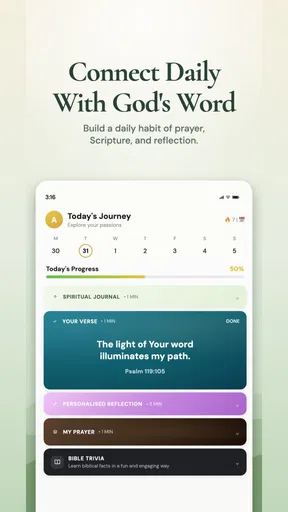
Bible Chat - Holy Bible Study is a Bible-focused app for people who want scripture, prayer, and Christian learning close at hand. Its mix of daily Bible verses, devotionals, an audio Bible, prayer, and study plans gives it a broad role: it can be a quick stop for a verse or a starting point for a more deliberate routine. What matters to me is not only the range of material, but how comfortably someone can approach it in different situations and with different abilities.
A welcoming starting point for Bible study
The app’s purpose is easy to understand from the outset: support regular engagement with the Bible and Christian reflection. That clarity is helpful for newcomers who may not know where to begin, as well as for readers who already have established devotional habits. Instead of presenting itself as a general reading library, it keeps its focus on scripture, prayer, and faith-based study.
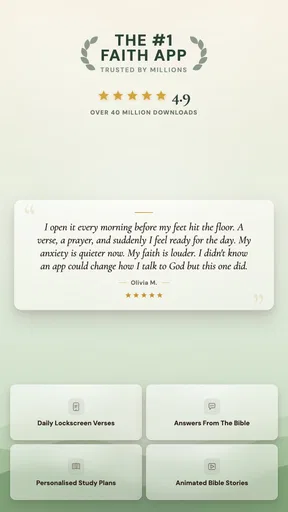
With a 4.9 average from around 173,000 ratings, Bible Chat has clearly found a substantial audience. That popularity is useful context, though it does not tell me whether every person will find the experience equally comfortable. Accessibility depends on practical details such as readable text, predictable controls, and whether the app suits the moment someone is trying to use it.
The app is free to download, with optional in-app purchases ranging from $0.99 to $99.99 per item. It is rated for Everyone, and its current version is 5.0.27. Those details help set expectations, but the experience is best judged by how its main activities fit into everyday routines: reading a passage, listening, praying, or following a study plan.
Readability and navigation
For a Bible and reference app, readability is central. People may open it to read a single verse, spend longer with a devotional, or work through a study plan. These activities call for different levels of attention, so a useful design should make it easy to focus on the material at hand rather than feel buried in choices. The app’s combination of daily content and study-oriented resources offers several clear reasons to open it.
Navigation matters just as much as the words on the screen. Someone returning each day may want a familiar route to prayer or a devotional, while a newer user may want to explore before settling into a routine. Keeping the app’s core purpose prominent can make that first step less daunting. I would still encourage users to take a moment to explore the available sections and decide which ones genuinely support their habits, rather than trying to use everything at once.
Visual comfort is personal. Some readers prefer brief passages and frequent pauses; others want to spend longer with a chapter or plan. Screen glare, text size, contrast, and fatigue can all affect how pleasant reading feels, particularly during a quiet evening or a long study session. If you are sensitive to visual strain, try the app in the setting where you expect to use it and check whether your device’s own display and text settings make reading more comfortable.
That advice is practical rather than a claim about a specific accessibility feature. A device’s system-level options can sometimes help with visibility, but the result depends on the phone or tablet and the way its settings interact with an app. I would not assume that every adjustment will work perfectly in every screen. A short trial with a familiar passage is a better way to judge whether the reading experience suits you.
Different ways to engage
One of the more inclusive aspects of the app’s overall concept is that it does not revolve around reading alone. Alongside Bible verses and devotionals, it includes an audio Bible. Listening can be a welcome alternative for someone who finds extended screen reading tiring, prefers spoken material, or simply wants scripture while their eyes are occupied elsewhere. It gives the app another way to fit into a day without turning every moment into a reading session.
Audio is not automatically accessible for everyone, of course. A person with hearing loss may find spoken content less useful, while another may need to listen in a quiet environment or use a preferred device setup. The best choice depends on the listener. Having both reading and listening in the same faith-focused app can nevertheless offer more flexibility than relying on a single format.
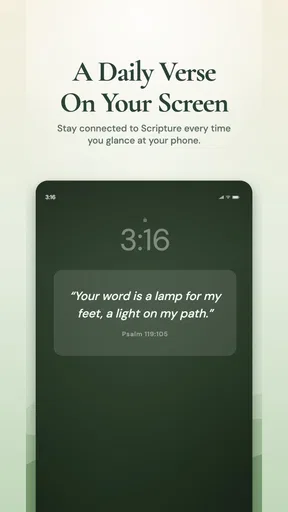
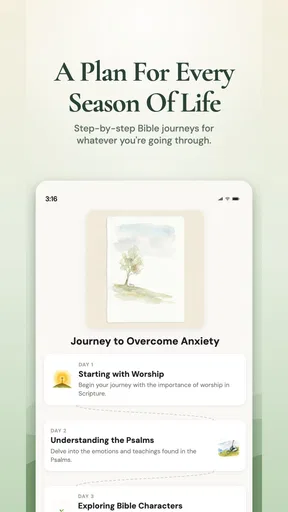
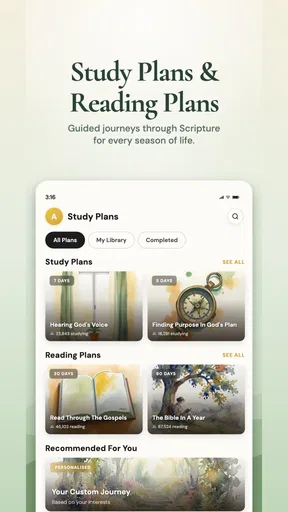
The prayer and devotional elements may also suit different attention styles. A short daily verse can feel manageable when time or concentration is limited, while a study plan offers a more sustained path for someone who likes structure. These are different kinds of engagement, and neither has to be treated as the “right” way to use the app. People can choose the depth that fits their energy, schedule, and spiritual practice on a given day.
For users who benefit from clear routines, recurring devotional or study habits can make it easier to return to a familiar activity. For others, a fixed routine may feel like pressure. I appreciate that the content types allow a person to approach the app with either a quick check-in or a more intentional study session. The useful question is whether those options feel supportive rather than demanding.
Motor and sensory considerations
Using a phone involves more than seeing or hearing content. Tapping, scrolling, holding a device, and moving between screens can be tiring or difficult for people with limited dexterity, tremors, pain, or temporary injuries. Those needs vary widely, so I would avoid assuming that a conventional mobile layout works equally well for everyone. It is worth testing the controls during a typical task, such as opening a verse or moving through a devotional.
People who rely on device-level assistance may also want to check how the app behaves with the tools already available on their phone. Compatibility can depend on operating system, settings, and individual needs, so a brief hands-on test is more informative than a broad promise. If a particular control is difficult to reach or activate, a device’s accessibility settings may offer an alternative way to interact, though the experience can differ from person to person.
Sensory comfort deserves similar attention. A quiet prayer moment may be disrupted by a bright display, background noise, or a setting where audio is not appropriate. Conversely, audio can be useful when looking at a screen is uncomfortable or impractical. Matching the format to the surroundings is part of making an app usable in real life, and Bible Chat’s combination of written and spoken material gives users a choice of approach.
Attention and cognitive load matter too. A person who is tired, distracted, or new to Bible study may prefer one clear activity rather than a long list of options. Daily verses can provide a simple entry point, while devotionals and plans offer more structure when someone wants it. Taking the app one section at a time can make exploration feel less overwhelming and help users identify what is genuinely useful to them.
Using it in everyday situations
Situational access is often overlooked in app reviews. A person may want a verse during a break, listen at home, or read before bed. Each setting brings different constraints: limited time, bright surroundings, reduced privacy, or a need to keep the device quiet. The app’s range of Bible reading, audio, prayer, and study content gives it potential to fit these varied moments, provided the chosen format works in the setting.
Audio may be convenient when someone is doing a hands-free activity, but it is not a safe choice when listening would distract from a task that requires attention. In shared spaces, a person may also prefer reading over playing spoken content aloud. Likewise, reading on a screen can be less comfortable in strong sunlight or when someone is already experiencing eye fatigue. A flexible routine means choosing the right activity for the moment, not trying to use the app in every circumstance.
The app is available for devices running Android 8.0 or later, which gives many users a route to install it on compatible phones and tablets. Compatibility is only one part of access, though. A device that can run an app may still be uncomfortable to use because of screen size, input needs, battery concerns, or personal preferences. It makes sense to check the experience on your own device rather than relying only on general expectations.
As with any app that includes optional purchases, it is sensible to review purchase choices carefully, especially when sharing a device or helping someone else set it up. The free download makes it possible to begin without paying upfront, while in-app purchases are available. Being mindful of store prompts and account settings can help users make choices that suit their budget and avoid accidental purchases.
Where the experience may fall short
A feature-rich app can be useful, but variety can also create friction. Someone who wants only a Bible passage may need to decide which other areas to ignore. A person with limited screen time or concentration may find that exploring several content types takes longer than expected. Starting with one goal, such as reading a verse or listening to a passage, can help keep the experience focused.
Accessibility is not a single setting that works for everyone. A reader may need larger text, a listener may need captions or another form of support, and someone with motor limitations may need controls that are easier to operate. The presence of both text and audio broadens the ways of engaging, but it does not automatically address every individual requirement. Users with specific access needs should test the app against those needs and make use of their device’s built-in options where helpful.
There is also a difference between content variety and personalized guidance. The app brings together daily verses, prayer, devotionals, an audio Bible, and Christian study plans, but people approach faith from different traditions and at different levels of familiarity. It is worth reading each resource in the context of your own beliefs and deciding whether its style and structure feel right for you.
That is not a reason to dismiss the app; it is a reminder that spiritual tools are personal. A study plan that motivates one person may not suit another, and a devotional format that feels comforting to one reader may feel too structured to someone else. Choosing a small, sustainable routine is often more helpful than measuring success by how many sections you use.
A thoughtful option for varied routines
Overall, I see Bible Chat as a practical, faith-centered option for people who want scripture and reflection available in several forms. Its strongest inclusive quality is the breadth of ways it invites engagement: quick verses, devotional reading, prayer, audio, and study plans. That range can help users adapt their routine to their time, attention, and preferred way of taking in content.
It is not possible to assume that one app will be equally comfortable for every body, device, or environment. Visual fatigue, hearing needs, dexterity, concentration, and personal beliefs all shape the experience. I would recommend approaching it with a short trial: choose one familiar activity, check the display and controls on your device, and see whether the format fits your real-life routine.
With more than five million installs and around 2,500 written reviews, the app has drawn broad interest among people looking for Christian reading and study resources. Those figures show reach, not a guarantee of personal fit. For someone seeking a flexible Bible study app with daily inspiration and both written and spoken content, it is a promising place to start.
Bible Chat is at its best when users can choose what they need that day instead of feeling obliged to follow every feature. I like its clear spiritual focus and the way its different content types can support brief moments as well as more deliberate study. If you value that kind of choice, and the app feels comfortable on your device, it may become a useful companion for prayer, scripture reading, and Christian reflection.
What we like
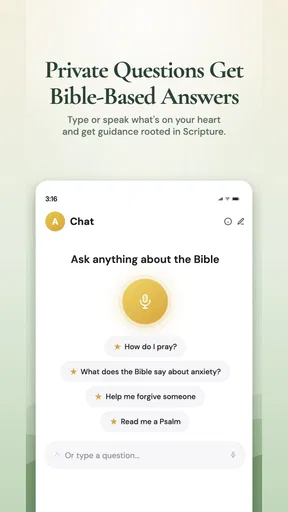
- Offers a convenient way to ask questions about biblical topics.
- Makes scripture study accessible without a formal study group.
- Can help users find passages related to specific questions.
- Provides a private space for personal faith discussions.
- Works well for quick study sessions on a phone.
What could be better
- AI responses may contain inaccuracies or lack important context.
- Some features may require a paid subscription.
- It should not replace guidance from trusted religious leaders.
- Answer quality can vary depending on how questions are phrased.
- Users may need an internet connection for chat features.




