

 Analysis byWeUseApps
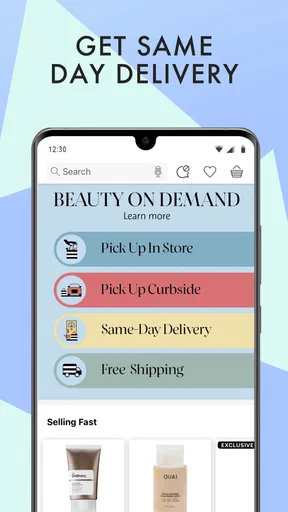
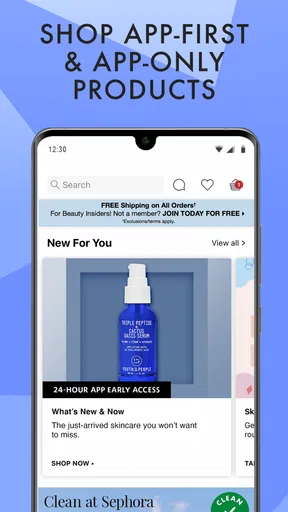
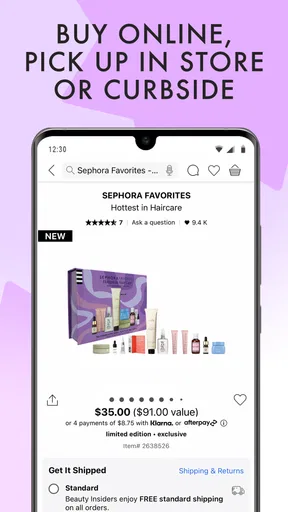
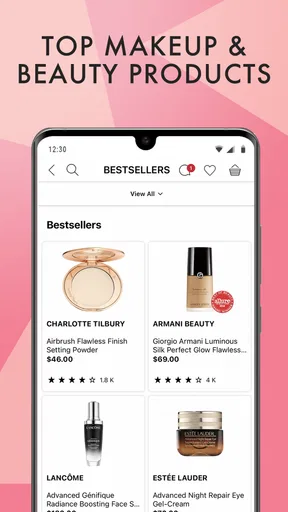
Choosing skincare and makeup can feel like a small research project: you know what you want to improve or replace, but the options are easy to lose track of. Sephora: Buy Makeup & Skincare brings beauty shopping into a mobile app, with products for everyday routines and holiday gifts. I see its strongest use as a practical path from browsing to building a considered shopping list, especially when I want to explore several kinds of beauty products in one place.
From beauty goal to a focused browse
The app comes from Sephora USA, Inc., and is free to download. Its reach is substantial, with more than 10 million installs, while its average rating is 3.9 from around 80,000 ratings. Those figures suggest a well-established shopping app, though the experience still depends on how naturally its catalog and shopping flow fit the way I like to make decisions.
Start with what you need
A useful beauty-shopping session begins before I tap through products. I might be looking for a skincare staple, a makeup item for daily wear, or a gift that feels a little more personal. Keeping that starting point in mind helps make a broad beauty catalog feel manageable. Rather than browsing without direction, I can treat the app as a place to explore options that relate to a real need.
The store summary covers both skincare and makeup, as well as beauty shopping for daily routines and holiday gifts. That mix gives the app a wide role: it can serve someone replenishing familiar products and someone still figuring out what to try. I appreciate that range because beauty purchases are rarely all alike. A routine refill calls for a different mindset from browsing for a present, even when both journeys happen in the same app.
Move through the shopping journey
Once I have a goal, the next step is to narrow my attention. I can approach the catalog by the kind of product I need, then compare the options that seem relevant to my routine or occasion. The key is to shop with a short list of priorities: what role the product should play, how it fits with items I already use, and whether I am buying for myself or someone else.
That simple method matters because beauty shopping can quickly become a scroll of tempting alternatives. A product may catch my eye, but the better question is whether it matches the original need. I find it helpful to pause between browsing and deciding rather than treating every appealing item as an obvious purchase. The app is most useful when it supports that considered process instead of replacing it.
For skincare, I would think about how a potential purchase fits into the routine I already have. For makeup, I would consider the role I want it to play in everyday wear or a particular occasion. Those are personal decisions, not something an app can make for me. The shopping experience gives me a place to explore; my own preferences still have to guide the final choice.
From discovery to a decision
Beauty products often require more thought than a quick glance can provide. When I find an option that looks promising, I want to judge it against the reason I opened the app in the first place. Is it for a routine I already follow? Is it an addition I genuinely want to make? If I am shopping for someone else, does it feel appropriate for that person’s taste? Asking those questions turns casual discovery into a more useful selection process.
This is also where the app’s breadth can be both helpful and demanding. Having makeup and skincare in the same shopping destination makes it convenient to move between needs, but a large field of choices can make it harder to stay focused. I would go in with a rough plan, explore within that plan, and resist adding products just because they appear during the session.
Where the handoffs happen
A mobile shopping experience is a chain of small handoffs. First, I move from an everyday need or gift idea into product discovery. Then I have to translate what I want into a choice among available beauty items. Finally, browsing has to turn into a decision I feel comfortable carrying forward. The app can bring these steps together, but the quality of each handoff depends on how clearly I understand my own preferences.
The most delicate handoff is from interest to confidence. A product can sound appealing and still not be the right match for my routine. I would take time to assess whether it serves a clear purpose rather than assuming that a promising browse automatically leads to a good buy. This is especially important with skincare, where personal routines differ, and with makeup, where comfort and style are individual.
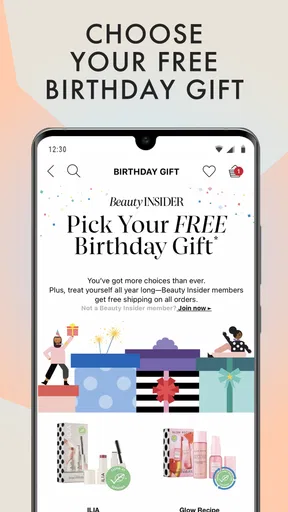
Gift shopping creates a slightly different handoff. Instead of matching an item to my own habits, I am trying to find something that suits someone else. The app’s focus on holiday gifts makes it relevant to that task, but I would still start with what I know about the recipient and use the catalog to explore from there. That keeps the process thoughtful instead of relying on a product’s appearance alone.
The outcome I get from using it
At its best, the app gives me a straightforward way to browse beauty products with a clear goal in mind. I can think through a routine, look for a makeup item, or explore a gift idea without treating each purpose as a completely separate shopping trip. That makes it a convenient option for people who already enjoy shopping for beauty products and want a mobile destination for the process.
The outcome is not simply finding something attractive. A satisfying session ends with a better sense of what fits the need: a possible skincare choice for a routine, a makeup option worth considering, or a gift direction that feels more deliberate. Even if I do not settle on a product immediately, focused browsing can help me clarify what I am looking for and avoid choosing at random.
The app has been around since December 16, 2013, and its current version is 26.20.1. It is intended for everyone and requires iOS 10 or later. In practical terms, that makes it relevant to a broad audience, though the most important question for a shopper is still whether an app-based beauty catalog suits their habits. If I prefer to compare products on a phone and keep my shopping in one mobile experience, that approach can feel natural.
Where the flow can lose momentum
The main friction in beauty shopping is often the decision itself. A wide selection can make browsing enjoyable, but it can also leave me weighing too many possibilities. If I open the app without knowing whether I want skincare, makeup, or a gift, the session may become unfocused. A simple starting question—what am I trying to find today?—makes the experience more purposeful.
Another challenge is that beauty choices are personal. What works for one person may not suit another, and an appealing product does not automatically belong in every routine. I would avoid treating browsing as a substitute for knowing my own preferences. The app can help with discovery, but I still need to think carefully about what I want and how a possible purchase fits into my life.
There is also a difference between shopping for a familiar item and exploring something new. A repeat purchase can be a quick task, while a new skincare or makeup choice calls for more reflection. Combining both kinds of shopping in one app is convenient, but it does not make every decision equally simple. I would give myself more time when I am considering an unfamiliar addition than when I am looking for something I already know I want.
For gifts, the friction comes from choosing on behalf of another person. Holiday browsing may provide inspiration, yet the final decision still depends on what I know about the recipient. I would use the app to explore rather than expect it to remove the guesswork entirely. A little thought about the person’s taste and routine makes the search more useful and keeps the result from feeling like a random pick.
Who should give it a try?
Sephora: Buy Makeup & Skincare makes the most sense for shoppers who want a mobile place to explore skincare, makeup, routine purchases, and gift ideas. Its broad beauty focus is convenient when I want to move between those needs, and the free download lowers the barrier to trying the shopping experience. It is also a natural fit for people who already know what kind of beauty products they want to browse.
I would recommend approaching it with a little intention. Decide whether the session is about replenishing a routine, discovering makeup, or finding a present, then keep that purpose in view as you browse. That small habit makes it easier to turn product discovery into a useful result instead of an endless tour of possibilities.
Overall, the app offers a familiar beauty-shopping journey: begin with a need, explore relevant products, weigh what fits, and carry that decision toward a purchase. Its usefulness depends less on browsing for its own sake and more on how well it supports the shopper’s personal criteria. For anyone who wants skincare and makeup shopping in one mobile destination, it is a convenient place to start—and a more rewarding one when you arrive with a clear idea of what you want.
What we like
- Browse products from many beauty brands in one place.
- Product reviews can help shoppers compare options.
- Save favorite items for later.
- Find products suited to different skin concerns.
- Track orders through the app.
What could be better
- Some products may be unavailable in your region.
- Prices and promotions can change without notice.
- The large catalog can make browsing feel overwhelming.
- Product recommendations may not suit every user.
- Purchases require an account and payment details.




