
 Analysis byWeUseApps
If you have ever found a Minecraft Pocket Edition add-on you wanted to try, then lost time figuring out how to get it into the game, Mods & Map for MCPE Minecraft is aimed at that small but familiar frustration. It brings mods, maps, skins, add-ons, and shaders together in a browsing-and-installing app. I would treat it as a convenient starting point rather than a guarantee that every download will fit every device or game setup.
My first impression is that the appeal is practical: instead of hunting through unrelated pages, you can look for different kinds of community-made content in one place. That is useful when you want to change one thing about a world, such as its appearance or layout, without turning the search itself into an evening project. The app is free to install, though it includes optional in-app purchases priced from $1.99 to $19.99 per item.
What to expect from the catalog
This is a Libraries & Demo app from RETRO GAMING LABS, not Minecraft itself. Its role is to help you find and install content intended for MCPE. That distinction matters: browsing here does not replace the game, and a downloaded item still needs to make sense for the Minecraft version and device you use.
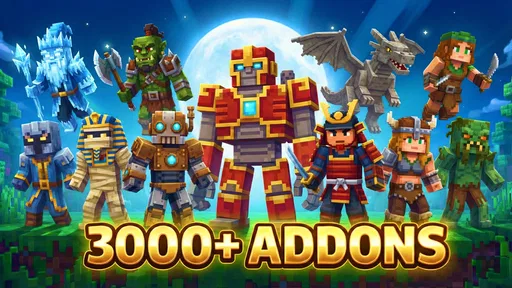
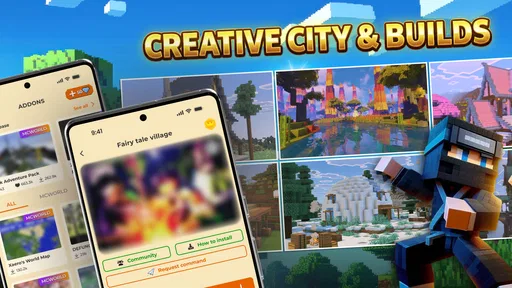
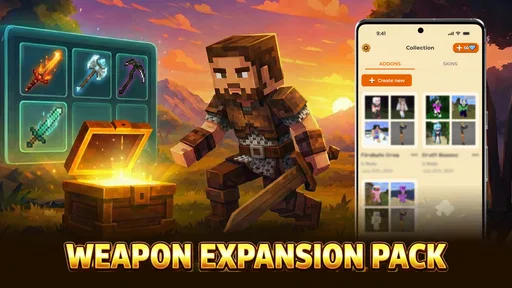
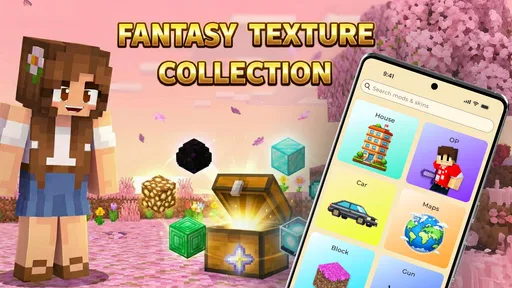
The catalog spans several kinds of content that serve different purposes. A map gives you a different place or setup to explore, a skin changes how your character looks, an add-on can alter or extend parts of play, and a shader aims at visual presentation. Keeping those options together is convenient, but it also means the best first choice depends on what you actually want to change. If you only want a new look for your character, there is little reason to begin with a more involved add-on.
The app has an average rating of 4.5 from around 18,000 ratings, and it has been installed over a million times. Those figures suggest that many players find the basic idea useful, but they do not tell me whether a particular item will work smoothly on your phone. I would use the catalog to discover possibilities, then make a deliberate choice rather than assuming every popular-looking option is automatically a good fit.
One important expectation to set early is that “one-tap” convenience should not mean skipping judgment. Content can differ in purpose, compatibility, and visual intensity. A shader that looks appealing in a preview may be a poor choice on a phone where you value smooth play, while a map can be more worthwhile if you want a fresh place to explore without changing how your usual world behaves.
Start with one small goal
For a first visit, I would decide on a single outcome before browsing: “I want a new map to explore,” or “I want to change my skin.” This sounds obvious, but it prevents the catalog’s variety from turning into random downloading. It also makes it easier to tell whether the app has helped: you chose an item for a reason, and you can check whether it appears where you expect in the game.
That narrow approach is especially helpful if you share a device or world with someone else. A cosmetic change is easier to evaluate than a collection of unrelated additions, and a separate map is a more controlled way to try new content than changing a world you care about. I would keep an established world out of the first experiment until I understand how the chosen content behaves.
From installation to a first success
The app is free to download, and its current version is 1.2.8. It is listed for devices running Android 7.0 or later, with a Teen content rating. Once it is installed, I would open the app and browse to the category that matches my goal rather than tapping the first eye-catching item. The developer’s summary emphasizes a quick installation path, but a calm, selective first try is more useful than collecting several downloads at once.
Before choosing, read the item’s description and look at any preview or details the app presents. Check whether it is a map, skin, add-on, or shader; those labels are not interchangeable. If your goal is to explore a new environment, selecting a map is more direct than installing a visual effect and hoping it changes the kind of experience you want.
After selecting an item, follow the in-app installation flow and then open Minecraft to check for it. The key first success is not simply seeing an item listed in the catalog; it is confirming that the game can access the content and that it behaves as expected. If it does not appear immediately, pause before downloading duplicates. Recheck which kind of content you chose and where the game makes that type of content available.
A realistic first-session example: imagine you have a short break and want something different to explore later. I would pick one map, install it, then check Minecraft’s available worlds before starting a new session. That separates the discovery step from the game step and gives you a clear answer about whether the installation worked. It is a better test than changing several settings and adding multiple items at once, because you can identify what caused confusion.
How I would avoid common mix-ups
The most likely source of frustration is expecting every content type to appear in the same place. A skin is not a map, and a shader is not an add-on; the game may present each kind differently. If an installation seems successful but you cannot find the result, first identify what you installed and check the corresponding area in Minecraft instead of assuming the app failed.
Another easy mistake is treating a preview as proof of compatibility. A thumbnail can show the intended look, but it cannot establish that the item will suit your device or your version of the game. I would be particularly cautious with shaders and other visually ambitious content on a phone that already struggles with demanding scenes. Trying one item at a time makes it much easier to decide whether the result is worth keeping.
There is also a difference between installing content and using it in a particular world. Some items are meant to affect a world you choose, while others are cosmetic or handled elsewhere. If you are unsure, read the item’s own instructions and use a new or unimportant world for an unfamiliar add-on. That small precaution protects a world you have invested time in and makes experimentation feel less risky.
Finally, free installation does not mean every part of the experience is necessarily free. The app has in-app purchases, with items priced between $1.99 and $19.99. I would browse carefully and make sure I understand whether a particular choice involves a purchase before proceeding. If you only want to test the basic browsing and installation idea, begin with an option that is clearly available without paying.
Where it stands beside other ways to find content
The usual alternative is to search the web or community pages for each map, skin, add-on, or shader separately. That can give you more room to compare sources and read discussion, but it also involves more switching between pages and more manual sorting. This app’s strength is having several MCPE content types gathered in one focused place, which is convenient for someone who wants to browse casually and try an item without building a personal list of sources.
The trade-off is that a catalog is not the same as a deep compatibility guide or a community conversation. If you need detailed troubleshooting, careful version-specific advice, or a broad comparison of similar creations, independent community discussions may be more helpful. I would use this app for discovery and a straightforward installation attempt, then look elsewhere when a specific item needs more context than its presentation provides.
It is also not a replacement for Minecraft’s own menus or for managing a carefully curated collection. Players who already know exactly which content they want and have a reliable installation routine may find a browsing app less valuable than going directly to their preferred source. For a newcomer, though, the organized selection can reduce the initial search burden—provided they still check what each item does.
Who will enjoy it, and who should pass
I can see this being useful for a first-time MCPE player who wants a simple route into community content, or for a casual player who enjoys trying a new map or skin now and then. It also suits someone who has a specific idea in mind but does not want to search across many unrelated sources before taking the first step. The app’s category range makes it easy to move from a cosmetic experiment to a different kind of content when curiosity grows.
I would be less enthusiastic about it for someone who expects every listed item to work on every device, wants extensive technical documentation, or is looking for an official Minecraft product. It is also a weaker fit if you prefer to vet every creator and installation detail through detailed community discussion before downloading. In those cases, a more research-heavy approach is worth the extra effort.
Parents should also take the Teen rating seriously when deciding whether the app is appropriate for a younger player. The content is user-facing game material, and a child may need help distinguishing a preview from an actual game result or recognizing when an optional purchase is involved. I would browse together at first and agree on whether purchases are allowed before handing over the device.
My next-step advice
Once your first item works, resist the urge to install a whole batch. Keep a simple mental note of what you added and what changed; that makes it easier to undo an experiment or identify a conflict if the game behaves differently later. For maps, make a separate choice rather than experimenting in a world you value. For visual changes, judge the result during actual play, not only from a preview image.
Then expand according to what you enjoyed. If a new map gave you the best experience, browse for another map rather than assuming you need a shader or add-on. If you liked a skin, stay with cosmetic changes until you have a reason to alter gameplay. This one-category-at-a-time habit is a small but useful way to keep a phone’s storage and your game setup manageable.
My overall take is that this is a handy discovery and installation companion, not a magic compatibility fix. Its focused MCPE catalog can make the first attempt feel less daunting, especially when you know what you want to try and verify the result in Minecraft afterward. With a 4.5 average and a large install base, it has clearly found an audience, but my recommendation is still conditional: start with one low-stakes item, read its details, and keep expectations realistic.
Mods & Map for MCPE Minecraft is worth trying if convenience matters more to you than researching every option across multiple sources. The most reassuring route is simple: choose one content type, follow the installation steps, check the right place in the game, and only then decide what to explore next. If you want deep technical guidance or guaranteed performance across every device, another approach will serve you better; if you want an approachable first step into MCPE content, this app has a clear purpose.
What we like
- Quick access to a variety of community-made mods and maps.
- Content descriptions help users check what each download offers.
- New additions can provide fresh ideas for Minecraft sessions.
- Browsing categories makes it easier to find specific content.
- A useful option for players who enjoy customizing their worlds.
What could be better
- Some downloads may not work with every Minecraft version.
- Content quality can vary between community submissions.
- Installation may require extra steps outside the app.
- Some features or downloads may require an internet connection.
- Ads may interrupt browsing or downloading.




