
 Analysis byWeUseApps
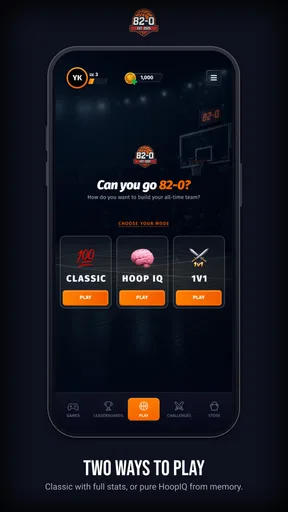
The appeal of 82-0.com is easy to understand: it turns basketball lineup building into a challenge you can pick up, think about, and revisit. I see it working especially well on a shared household device, where one person can make a lineup and someone else can debate the choices. That kind of back-and-forth is a better fit than expecting the game to serve as a full basketball simulation. Its main draw is the lineup puzzle, not a promise of detailed on-court control.
Why lineup building suits a shared screen
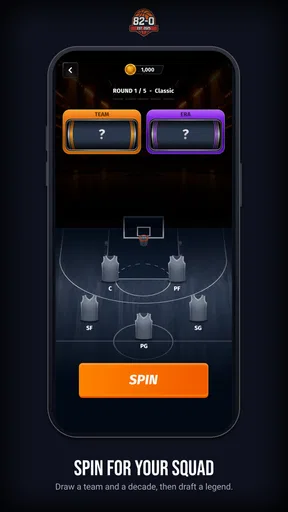
As a sports game from Vaulty Studios Inc., 82-0.com puts roster construction at the center of its identity. The goal invites you to imagine assembling a team capable of an unbeaten season, which gives each decision a clear purpose. Even if you only have a few minutes, you can consider who belongs in the lineup and whether your choices make sense together.
On a family tablet or a phone passed around after dinner, the game can create an easy conversation: one player proposes a lineup, another challenges it, and then the first revises the plan. That is a useful shared-device scenario because the activity itself gives people something concrete to discuss. It does not require everyone to be a serious basketball fan; a casual player can still enjoy arguing over what makes a balanced team.
I would treat it as a turn-taking experience rather than assume it provides formal multiplayer or household features. If several people use one device, agree whose turn it is and avoid changing another person’s work without asking. That small bit of coordination matters more than any imagined family setting: it keeps a friendly lineup debate from becoming a dispute over who altered the team.
Set expectations before passing the device around
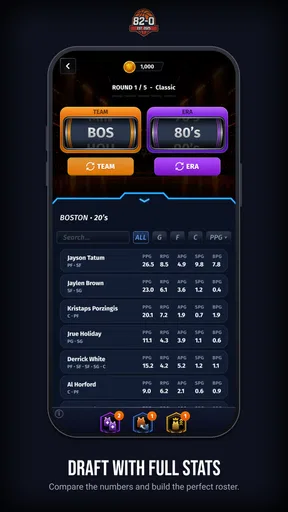
The central challenge is more strategic than the short store description might suggest. Building a lineup is not simply about picking familiar names; the interesting question is whether the choices work as a group. I recommend starting with a rough idea of what you want the team to do, then making changes one at a time. That makes it easier to see whether a new choice improves your plan or merely reflects a favorite-player preference.
For shared use, it helps to separate experimentation from a lineup someone wants to keep. One person can explore a more adventurous arrangement while another preserves a preferred version, if the game’s available options allow it; do not assume a particular save or profile system. When those options are unclear, take turns and talk through changes before making them. This simple workflow avoids the common shared-device problem of one player unknowingly overwriting another’s effort.
There is also a practical boundary around accounts. I would not assume that different household members automatically receive separate progress or private lineups. Check what the game actually presents when you open it, and decide whether a single shared session is acceptable before investing time in a personal strategy. If distinct progress matters to you, a shared device may not be the right arrangement unless the game makes that separation clear.
Make coordination part of the strategy
The best way to keep a group session engaging is to give each person a distinct job. One player can suggest the starting lineup, another can look for weaknesses in the plan, and a third can make the final choice. This is not a built-in role system; it is a way of using the lineup challenge socially. It also stops the quickest or most confident player from taking over every decision.
A useful habit is to explain the reason for each adjustment before making it. If someone wants to swap a player, ask what problem the change is meant to solve. That turns the session from a sequence of unexplained taps into a more thoughtful sports discussion, and it helps younger or less experienced players learn how roster decisions can involve trade-offs.
For a quick everyday session, set a simple stopping point before you start: choose a lineup, review it once, and then hand the device to the next person. This keeps the game from swallowing a shared screen indefinitely. It is particularly helpful when the device is also needed for homework, messages, or another family activity. The game’s focused premise makes short visits plausible, but household time limits are still up to the people sharing the device.
Age, spending, and trust at home
The game is rated Everyone, which makes its stated age context broad, but an age rating is not a substitute for a parent’s own judgment about screen time or spending. The game is free to start, and it includes in-app purchases ranging from $0.99 to $299.99 per item. That wide range is worth discussing before a child plays, especially on a device where payment methods are already available.
I would check the purchase flow with the child and use the device’s ordinary purchase protections where appropriate. Do not assume that a free download means every optional item is free, or that the game itself supplies household spending controls. A clear rule—ask before buying anything—is easier to follow than leaving a young player to interpret a purchase screen alone.
The age rating can reassure families who are looking for a sports-themed game with a broad audience classification, but it does not tell you whether the strategic challenge will suit every child. A younger player may enjoy selecting a team without caring about the unbeaten-season ambition, while someone who wants fast action may find lineup choices less exciting. I would let the intended player try the basic experience and judge whether they enjoy thinking through roster decisions.
How it compares with other sports games
Compared with the usual sports alternatives, 82-0.com appears best approached as a roster-building challenge rather than a match-focused game. If you want to control athletes during play, follow a lengthy career, or spend most of your time in live action, a conventional basketball game is likely a better match. If what you enjoy is debating team composition and testing a plan against an ambitious season goal, this game’s narrower focus is a virtue.
That focus is also its main limitation. A lineup premise can feel repetitive if you expect a wide range of activities or prefer direct action to planning. I would not recommend it as the sole sports game for someone who wants a deep simulation experience. It makes more sense as a compact option for basketball fans who like strategy, or as a casual shared activity where the discussion around a lineup is part of the fun.
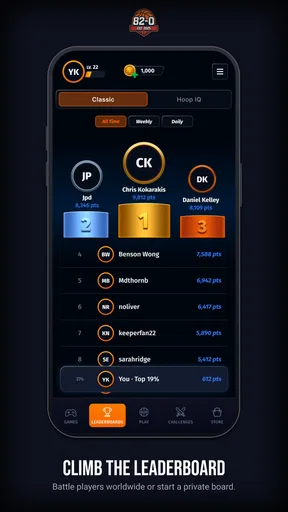
The game has an average rating of 4.5 from around 9,100 ratings, alongside 737 written reviews, and it has passed 500,000 installs. Those figures suggest that plenty of players have tried it, but they cannot tell you whether its particular style fits your household. I would use them as context, not as a substitute for deciding whether lineup construction is the part of basketball you actually enjoy.
Compatibility and the household verdict
The current version is 1.10.5, and the stated minimum operating-system requirement is Android 7.0. Before installing on an older shared device, check that its software meets that requirement. Because it is free to download, trying it carries no upfront app price, though the optional purchases still deserve attention. The release date is June 15, 2026, so the game is a recent arrival; I would keep expectations centered on its core lineup idea rather than assume it already offers the breadth of a long-established sports franchise.
My household verdict is that 82-0.com is a promising fit for people who enjoy basketball choices more than basketball controls. It can turn a spare moment into a small strategy session, and passing the device around can make the lineup challenge more enjoyable than playing silently. Its strengths are the clear team-building premise and the way that premise invites discussion; its trade-offs are a narrower focus, the need to coordinate shared use, and purchases that families should handle thoughtfully.
I would recommend giving it a try if your household likes debating who belongs on a team and can agree on sensible device and spending boundaries. I would skip it if you are looking for live match action, robust household account separation, or a game that keeps several players involved through dedicated multiplayer features. For the right audience, it is an approachable basketball puzzle; for everyone else, a more action-driven sports title will probably be the better use of a shared screen.
What we like
- The site is accessible through a mobile browser without installing an app.
- A lightweight website can use less storage than a dedicated app.
- You can open the site on Android and iOS devices.
- No app permissions are needed to visit the site.
- The mobile browser lets you close the site without leaving background processes.
What could be better
- The site may not offer the reliability of a verified app store download.
- Its features and safety are difficult to assess without clear public details.
- A browser connection is required to access the site.
- The experience may vary between browsers and devices.
- Avoid sharing personal or payment details unless the site is verified.




